
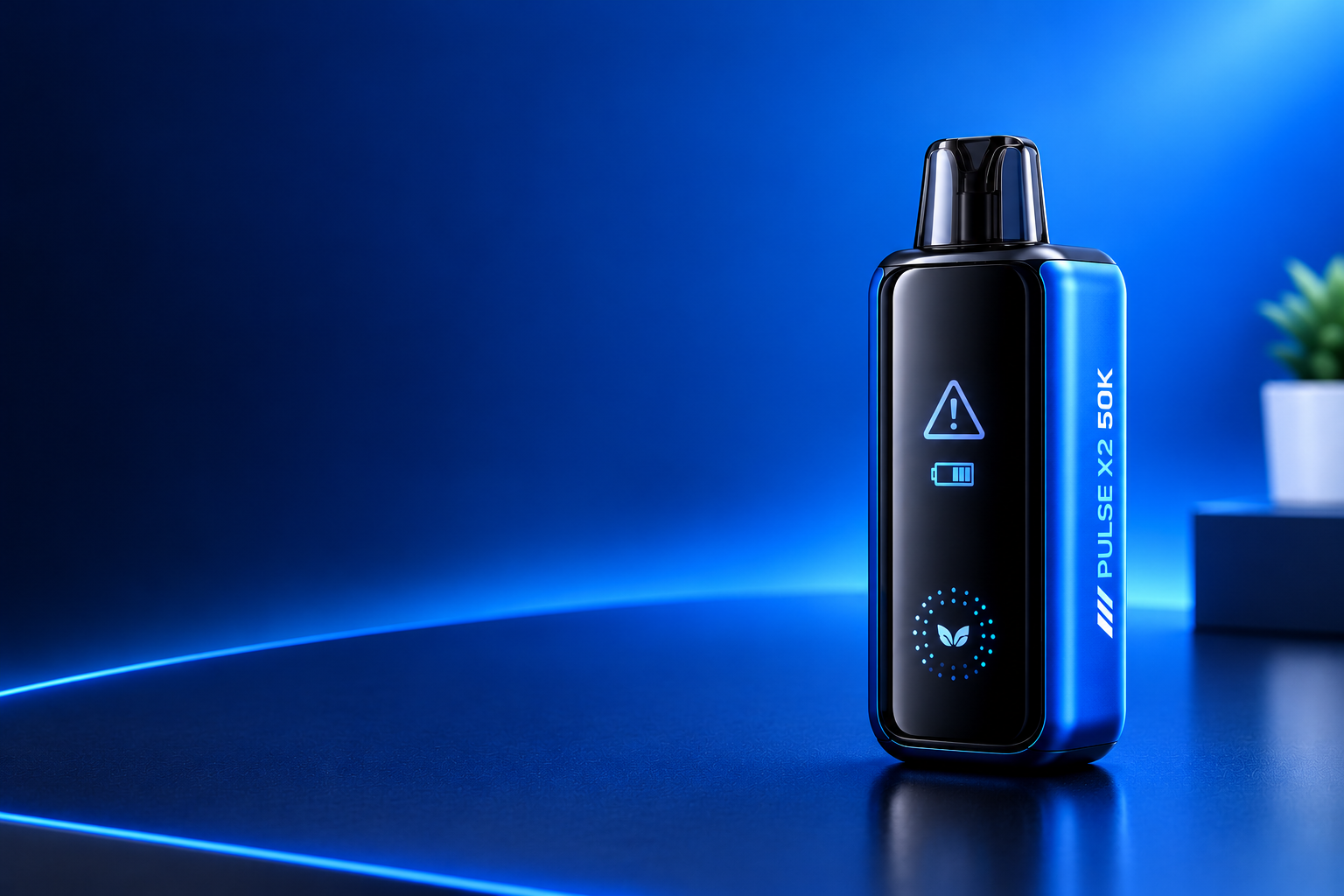
The Geek Bar Pulse X2 50K is a sealed, pre-filled disposable vape with a rechargeable battery, a 3D curved screen, and two power modes. It is made for longer use than a basic disposable, with up to 50,000 puffs in Regular Mode and up to 25,000 puffs in Pulse Mode.
Problems can still happen during use. You might find that the Geek Bar Pulse X2 is not hitting, the flavor has become weak, the screen is blank, or the device is not charging as expected. Simple checks around the battery, airflow, mode switch, and screen can help with some issues. Any signs of overheating, auto-firing, swelling, or battery damage are different and should not be handled at home.
The guide below covers the common problems users may run into, from firing and charging issues to burnt flavor, gurgling, tight airflow, flashing and screen errors, fast battery drain, and flavor fading. Each section explains what could be causing the issue and the checks you can make safely before deciding whether the device needs replacing.
Important safety rule for this whole guide: The Pulse X2 is a sealed disposable. Do not open it, do not try to replace its coil, do not refill it, and do not repair its battery. If a safe external check does not fix it, the next step is replacement through the retailer not a DIY repair. Do not charge a device that is hot, swollen, cracked, leaking heavily, or smells like burning plastic.
Jump to Section
Geek Bar Pulse X2 50K at a Glance Specs and Entities
Before You Troubleshoot: Regular Mode vs. Pulse Mode
Geek Bar Pulse X2 50K Troubleshooting: Common Problems at a Glance
Geek Bar Pulse X2 50K Not Working: Problems and Quick Fixes
Geek Bar Pulse X2 50K at a Glance Specs and Entities
| Entity / feature | What it is on the Pulse X2 50K |
|---|---|
| Brand | Geek Bar |
| Product line | Geek Bar Pulse series Pulse, Pulse X, Pulse 2, and Pulse X2 |
| Device type | Sealed, pre-filled disposable vape not a refillable pod kit |
| E-liquid | 18mL pre-filled, 5% (50mg) nicotine salt, one flavor per device |
| Puff rating | Up to 50,000 puffs in Regular Mode; up to 25,000 puffs in Pulse Mode |
| Battery | 1000mAh rechargeable lithium-ion battery, USB-C fast charging, about 0–80% in 20 minutes |
| Coil | 0.6Ω dual mesh coil |
| Chip | Geek Bar VPU / Hyperdrive Core VPU manages power and e-liquid efficiency |
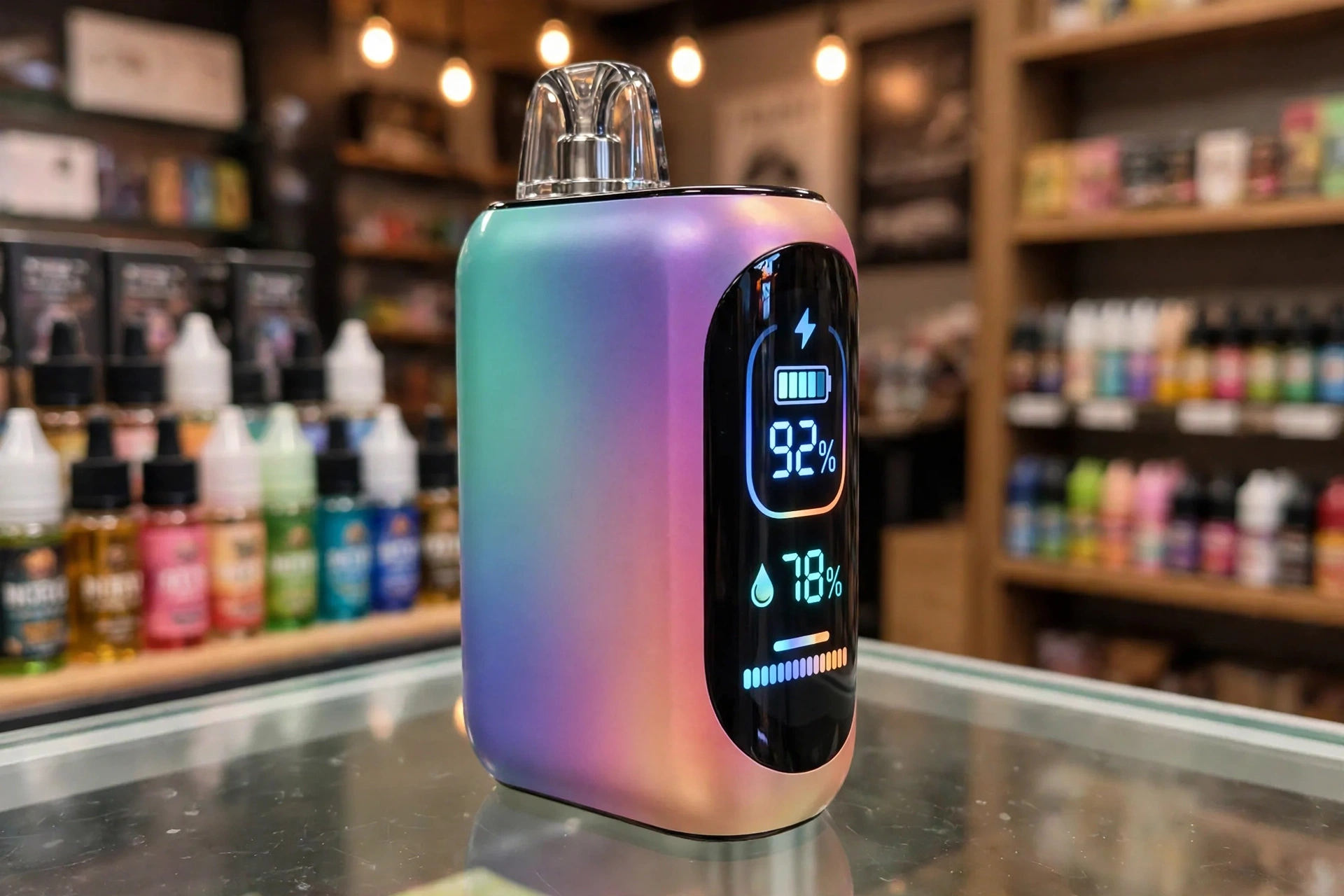
| Display | 3D curved screen with Galaxy Cascade UI shows battery level, e-liquid level, and mode |
| Light system | Binary Halo light works with the screen to show mode and status |
| Activation | Draw-activated no fire button; you inhale to fire |
| Airflow / mode control | Bottom toggle that changes both airflow and mode (Regular vs. Pulse) |
| Predecessors | Geek Bar Pulse X 25K (820mAh, same 18mL) and Geek Bar Pulse 15K |
Puff counts are manufacturer-rated maximums. Real-world puff counts are lower with longer draws, frequent use, and Pulse Mode. A puff rating also does not tell you how long one battery charge will last.
Before You Troubleshoot: Regular Mode vs. Pulse Mode
Regular Mode
Regular Mode is the longer-lasting, lower-power mode. It is rated up to 50,000 puffs and gives a tighter, mouth-to-lung (MTL) draw.
Pulse Mode
Pulse Mode is the higher-power mode. It gives warmer, denser vapor and stronger flavor, but it is rated up to only 25,000 puffs, uses e-liquid faster, and drains the battery faster.
The bottom toggle changes the mode and the airflow at the same time. If your vapor suddenly feels weak, tight, harsh, or your battery seems to drain fast, check which mode you are in before assuming the device is faulty.
Geek Bar Pulse X2 50K Troubleshooting: Common Problems at a Glance
| Problem | First thing to check |
|---|---|
| Not firing / not hitting | Battery, mode toggle, and airflow inlets |
| Not charging | USB-C cable, adapter, and charging port |
| Weak vapor / muted flavor | Battery, mode, e-liquid level, and pauses between draws |
| Burnt taste | Pulse Mode, chain puffing, airflow, and e-liquid level |
| Leaking / gurgling / spitback | Mouthpiece condensation, draw strength, heat, and damage |
| Flashing / screen errors | Battery level, screen state, and end-of-life signs |
| Auto-firing / getting hot | Stop using it immediately do not charge or reuse it |
| Tight airflow | Mode setting, blocked inlets, and condensation |
| Fast battery drain | Pulse Mode use, draw length, and battery age |
| Flavor fading / flat taste | E-liquid level, coil age, and mode not flavor mixing |
Geek Bar Pulse X2 50K Not Working: Problems and Quick Fixes
The Geek Bar Pulse X2 50K may stop producing vapor, fail to charge, leak, flash, or deliver a burnt taste when the battery, e-liquid supply, coil, airflow, mode setting, or screen has a problem. Basic checks can help identify the cause before a replacement is needed.
This guide covers common Geek Bar Pulse X2 50K problems, their likely causes, and practical fixes. The steps include checking the battery, charging the device, clearing accessible airflow openings, checking the mode toggle, and replacing the whole sealed device when it is worn out or faulty.
If you are comparing models, the Pulse 2 is a smaller Geek Bar with a similar dual-mode setup. See how it handles the same problems in Geek Bar Pulse 2 25K Not Working.
1. Why Is My Geek Bar Pulse X2 Not Firing / Not Hitting?
The Geek Bar Pulse X2 may fail to produce vapor because of a low battery, a blocked airflow path, a draw sensor that has not triggered, depleted e-liquid, a worn coil, or an internal fault. Check these parts before assuming the device has an internal fault.
Common Causes
Low or dead battery: A weak battery cannot heat the 0.6Ω dual mesh coil properly. Thin vapor often comes first, then no vapor at all.
Short, sharp draws: The Pulse X2 is draw-activated. Very short sips may not trigger the draw sensor. A slow, steady draw works better.
Blocked airflow: Dust, lint, pocket debris, or condensation around the mouthpiece and air inlets can stop the sensor from firing.
Depleted e-liquid: When the 18mL supply is finished, the device will not produce normal vapor even if the battery still charges.
Worn or faulty coil: After long use, the dual mesh coil can no longer heat e-liquid as intended.
Brand-new device issue: A new device that has never fired, even after charging, may be defective. Do not keep forcing it.
How Do You Fix a Geek Bar Pulse X2 That Will Not Fire?
Charge it first. Connect a compatible USB-C cable to a wall adapter and wait at least 10–15 minutes. Watch the 3D curved screen for a charging or battery response.
Take a slow, steady draw. Try a smooth 3–4 second inhale instead of short, sharp sips.
Check the mode toggle. Move the bottom toggle fully into Regular Mode, then test again. A toggle stuck between positions can cause inconsistent firing.
Check the airflow. Inspect the visible air inlets for dust or lint. Wipe the mouthpiece and accessible surfaces with a dry tissue. Do not blow hard into the device and do not insert objects into its internal channels.
Rest it upright. Stand the device mouthpiece-up for 10 minutes so e-liquid can settle and wick back to the coil, then try one gentle draw.
Check the screen. If the screen shows a full battery and normal e-liquid but there is still no vapor after charging and airflow checks, the coil or sensor is likely faulty.
When Should You Replace the Device?
Replace or return the device through the retailer when it still fails after charging, a slow draw, and airflow checks. There is no pod to replace and no coil to change on the Pulse X2. Stop using it if it leaks heavily, overheats, swells, or shows signs of damage.
2. Why Is My Geek Bar Pulse X2 Not Charging?
A Geek Bar Pulse X2 that will not charge may have a damaged cable, a blocked USB-C port, an unsuitable power source, a deeply drained battery, or an internal battery fault. Check the external charging setup before seeking a replacement.
Common Causes
Damaged or incompatible USB-C cable: A faulty cable may interrupt power delivery.
Dirty charging port: Lint or residue can stop the cable from seating fully.
Weak power source: A low-power laptop port or faulty adapter may not supply enough power for fast charging.
Incomplete charging: Unplugging after a few minutes gives only a partial charge that fades fast under load.
Battery or circuit fault: An internal fault may stop the device from charging at all.
How Do You Fix Charging Problems?
Try a different cable and adapter. Use a compatible, undamaged USB-C cable and a wall adapter, not just a laptop port.
Inspect the charging port. Look inside with a light for visible lint. If you see loose lint, remove it gently with a dry wooden toothpick while the cable is unplugged. Do not use metal tools or liquid cleaners.
Check the screen for a charging signal. Plug it in and watch the 3D curved screen and Binary Halo light for a charging response. Give it a full session the Pulse X2 is rated to reach about 80% in around 20 minutes, but a full charge takes longer.
Let a warm device cool. Disconnect a warm device and allow it to cool before charging again. Do not charge a device that becomes unusually hot or shows signs of damage.
Do not leave it charging unattended. Charge on a hard, non-flammable surface and disconnect it when charging is complete.
When Should You Replace the Device?
Contact the retailer when the device still will not charge with a known-good cable and wall adapter, or when the screen never responds after a long charge. A damaged battery or internal charging circuit needs replacement, not a home repair. Do not dismantle the battery unit.
3. Why Is the Vapor Weak or the Flavor Muted?
Weak vapor or muted flavor can result from low e-liquid, a worn dual mesh coil, blocked airflow, a low battery, the wrong mode, or frequent back-to-back draws that leave the wick without enough time to absorb e-liquid.
Common Causes
Low e-liquid level: The wick may not remain fully saturated as the 18mL supply runs low.
Regular Mode selected: Regular Mode is intentionally lighter than Pulse Mode. A weak throat hit may simply mean you are not in Pulse Mode.
Worn coil: Extended use over weeks can reduce coil performance and flavor clarity.
Frequent draws: Short intervals between puffs may prevent the wick from resaturating.
Low battery: A low charge may affect normal device operation, especially under the higher demand of Pulse Mode.
Restricted airflow: Dust, lint, or condensation can reduce airflow and vapor density.
How Do You Restore Vapor and Flavor?
Check the mode first. Switch to Pulse Mode for one test draw and compare. If Pulse Mode feels normal and Regular Mode feels weak, that is a mode difference, not necessarily a fault.
Recharge the battery. Follow the charging steps in Section 2 and test again on a full charge.
Allow pauses between draws. Wait 20–30 seconds between puffs so the mesh wick can resaturate.
Check the e-liquid level on the screen. The Galaxy Cascade UI gives an estimate, not an exact countdown. If it is near empty, weak flavor is expected.
Clear accessible airflow openings. Remove visible debris from the mouthpiece and air inlets without inserting objects into the device.
Use gentle, steady draws. Hard, fast draws can flood the coil and make vapor thinner, not stronger.
When Should You Replace the Device?
Replace the device when vapor remains weak after the battery, mode, e-liquid level, and airflow have been checked, or when the screen shows the e-liquid is nearly empty. A worn coil in a sealed disposable cannot be restored by cleaning or charging.
4. Why Does the Geek Bar Pulse X2 Taste Burnt?
A persistent burnt taste can indicate a dry or damaged wick or coil. Low e-liquid levels, Pulse Mode’s higher power, tight airflow, and frequent back-to-back draws can prevent the wick from absorbing enough liquid, which may cause a dry hit.
Common Causes
Chain puffing: Fast, repeated draws outrun the wick. The taste is often fine after a break, then burnt again after a few fast puffs.
Pulse Mode: Pulse Mode fires the coil harder for thicker vapor, so the mesh has less margin before it outruns wicking.
Low e-liquid: A burnt taste late in the device’s life, with thinner vapor, usually means the liquid is nearly finished.
Tight airflow: A very tight draw can make hits feel hot and harsh, even on an early puff.
Coil residue / coil damage: A burnt or muddy taste that rest does not fix usually means the coil is finished.
First-puff burnt taste: On a new device, this can mean the coil has not wicked yet. On an old device, it usually means the coil is done.
How Do You Fix a Burnt Taste?
Stop and rest. Set the device upright for 2–3 minutes so e-liquid can wick back into the mesh.
Open the airflow. Move the bottom toggle to the more open position.
Switch to Regular Mode. Lower power gives the coil more margin. If the burnt taste only appears in Pulse Mode, use Pulse Mode sparingly.
Take gentle draws. Use 2–3 second puffs and wait 20–30 seconds between them.
Check the battery and e-liquid level. Charge if the battery is low, and check the screen for a low e-liquid warning.
Test again. If the taste stays clean for 5–10 puffs, wicking was the issue. If it returns on every puff, the coil is likely damaged.
When Should You Replace the Device?
Replace the device when the burnt taste persists after rest, open airflow, and Regular Mode. A damaged coil or wick cannot be restored. Stop using it if the burnt taste comes with a burning smell, leaking, or heat. Do not keep pushing through burnt hits.
The CDC notes that e-cigarettes are not risk-free, even though they do not burn tobacco like a cigarette does. That is worth keeping in mind before you keep using a device that is already showing faults, and you can read the full background in the CDC’s e-cigarette information.
5. Why Is the Geek Bar Pulse X2 Leaking or Gurgling?
Leaking or gurgling on the Pulse X2 is different from leaking on a refillable vape. There is no tank to overfill and no coil or pod to tighten, because the device is sealed. On this device, gurgling and spitback usually come from condensation, excess liquid around the coil, hard draws, heat, or damage.
Common Causes
Condensation: Moisture can collect inside the mouthpiece and cause light gurgling or crackling.
Forceful draws: Hard inhales may pull excess liquid into the airflow path.
Heat exposure: High temperatures, direct sunlight, or a hot car can cause e-liquid to expand and increase the risk of leaking.
Storage position: Storing the device mouthpiece-down for hours can let liquid pool at the mouthpiece end.
Damaged seals or casing: A drop, crack, or damaged seal can allow e-liquid to escape.
End-of-life coil: A worn coil may no longer vaporize liquid cleanly, which can increase gurgling and spitback.
How Do You Fix Leaking or Gurgling?
Wipe accessible surfaces. Wipe visible e-liquid or condensation from the mouthpiece with a dry tissue. Do not insert objects into the mouthpiece or airflow channels.
Use gentle draws. Avoid forceful, repeated inhales that pull excess liquid into the airflow path.
Store it correctly. Keep it upright, mouthpiece-up, at room temperature, away from direct sunlight and excessive heat.
Rest it upright. Stand it mouthpiece-up for a few minutes before testing again.
Check for damage. Look for cracks, swelling, or liquid reaching the charging port.
When Should You Worry About Leaking?
Persistent leakage may indicate a damaged seal or casing. Stop using the device if e-liquid reaches the charging port, if it leaks heavily, or if it shows signs of damage. Contact the retailer for advice rather than attempting to dismantle the device. Do not charge a heavily leaking device.
6. Why Is the Geek Bar Pulse X2 Flashing or Showing Screen Errors?
Yes the Pulse X2 does have a screen, so screen errors are a genuine topic for this device. A flashing light, a blank screen, a frozen display, or a wrong e-liquid reading does not always mean the same fault. The 3D curved screen, the Binary Halo light, the battery, and the end-of-life state all need to be checked together.
What Can Cause Flashing and Screen Errors?
Low battery: The most common cause of flashing. The screen may show a low battery icon or go dark.
Puff-limit / safety cut-off: Long or repeated draws can trigger a safety cut-off. The device may flash and then return to normal after a rest.
Stuck draw sensor: A sensor stuck by liquid or debris can cause repeated flashing, sometimes with hissing (see Section 7).
Screen glitch or freeze: Like any electronic device, the VPU chip and Galaxy Cascade UI can glitch temporarily, especially after a drop or a low-battery state.
Inaccurate e-liquid reading: The screen shows an estimated percentage or bar based on rated puff count and usage pattern, not a literal countdown. Draw length and frequency affect how accurate it feels.
End of life: Persistent flashing with no vapor, burnt taste, and weak airflow often means the e-liquid and coil are finished together.
Cracked screen: The screen is glass. A drop on a hard surface can crack it or stop the display, even if the device still fires. In that case you lose the battery and e-liquid readout.
How Do You Fix Flashing and Screen Errors?
Charge it first. Plug in a known-good USB-C cable and wall adapter. A blank screen is more often a charging or connection issue than a dead device at first.
Wait after a safety cut-off. If flashing started after long or back-to-back draws, stop for 30–60 seconds and try one slow draw.
Try a mode-toggle reset. Move the bottom toggle fully from one mode to the other and back, then test again. Do not force the toggle.
Check airflow and the mouthpiece. Clear visible dust, lint, or condensation from accessible openings.
Do a full charge and re-check. A fresh full charge often recalibrates the battery reading. If the e-liquid reading still looks wrong after that, treat it as an estimate and judge by flavor and vapor as well.
Test whether it still fires. If the screen is blank but the device still produces normal vapor, you can use it with caution while you arrange a replacement but you will have no reliable battery or liquid warning.
When Should You Replace the Device?
Contact the retailer when flashing continues after charging, rest, and airflow checks, when the screen never wakes after a long charge on a known-good cable, or when the display glitches, freezes, or flashes without a draw. A screen that never wakes, a device that heats up while idle, or heavy leaking are signs of a defect, not a setting to adjust.
7. Why Is the Geek Bar Pulse X2 Auto-Firing or Getting Hot?
Auto-firing occurs when a vape activates without an inhale. Unusual heating can indicate a battery, sensor, or internal electrical fault. Stop using the Geek Bar Pulse X2 immediately if it fires by itself or becomes unusually hot.
What Can Cause Auto-Firing or Overheating?
Stuck draw sensor: The draw sensor is a small air-activated switch. If e-liquid or debris gets on it, it can stick in the “on” position and keep firing.
E-liquid leakage into the sensor area: Liquid entering the device may interfere with its sensor or internal components.
Battery fault: A damaged or failing lithium-ion battery may overheat.
Internal electronic fault: A malfunctioning sensor or VPU circuit may cause unexpected activation.
Charging a faulty device: Charging a device that is already auto-firing or hot can make overheating worse.
What Should You Do If the Device Auto-Fires or Overheats?
Stop using the device. Do not inhale from it or attempt further tests.
Disconnect the charger if it is safe to do so. Unplug it if you can do so without touching a dangerously hot device.
Move it to a safe place if it is safe to move. Place it away from flammable materials, ideally outside or in a metal container. Do not carry it in a pocket.
Do not handle a device that is dangerously hot, swelling, smoking, or hissing. Let it cool and let the battery run down in a safe place.
Do not dismantle the device. Avoid opening the battery unit or attempting internal repairs.
Contact the retailer or manufacturer. Ask for advice on safe handling, return, or replacement, and follow local rules for disposing of lithium batteries.
How Can You Reduce Safety Risks?
Never carry an overheating or auto-firing vape in a pocket. Do not charge or reuse a device that continues to behave abnormally. A short hiss right after a draw as the coil cools is normal; firing that does not stop is not normal and the device should be retired.
Auto-firing and unusual heat are safety concerns, not routine performance issues. Stop using the device rather than attempting to fix an internal fault yourself.
8. Why Is the Airflow Too Tight on the Geek Bar Pulse X2?
Airflow that feels unusually tight may result from the mode setting, blocked air inlets, condensation, or a faulty device. On the Pulse X2, “tight” also needs context: this is a mouth-to-lung device, not a loose direct-to-lung device, even in Pulse Mode.
What Can Cause Airflow Problems?
Regular Mode selected: Regular Mode is intentionally a tight MTL draw with more restriction. Pulse Mode opens it up to a medium MTL draw, but it is still quite tight compared with a DTL device.
Blocked air inlets: Dust, lint, fingers covering the openings, or pocket debris can restrict airflow.
Condensation or e-liquid residue: Moisture around the mouthpiece or airflow path may contribute to gurgling or a restricted draw.
Mode toggle not fully engaged: A toggle stuck between positions can give an inconsistent draw.
Low e-liquid or worn coil: Near end of life, a tight or unsatisfying draw can accompany weak vapor and muted flavor.
How Do You Fix Airflow Problems?
Check the mode first. Switch fully to Pulse Mode and compare the draw. If Pulse Mode feels normal, Regular Mode’s tightness was the cause.
Inspect the air inlets. Check the visible openings for dust or lint and clear accessible debris with a dry cloth.
Clean accessible areas. Wipe visible residue from the mouthpiece with a clean, dry tissue or cotton swab. Do not insert objects into internal air channels.
Remove visible condensation. Wipe the mouthpiece dry before testing.
Take a slow, steady draw. A smooth inhale triggers the draw sensor better than a short, hard pull, which can also flood the coil.
When Should You Replace the Device?
Contact the retailer if airflow remains unusually restricted across both modes after cleaning accessible openings, or if a tight draw comes with no vapor, flashing, or leaking. A damaged internal airflow path may be responsible, but the device should be assessed before replacement is assumed to be the only solution.
9. Why Is the Geek Bar Pulse X2 Battery Draining Quickly?
The Geek Bar Pulse X2 has a 1000mAh rechargeable battery. The complete device is rated for up to 50,000 puffs in Regular Mode, but the puff rating does not indicate how long the battery lasts between charges. Frequent use, long draws, Pulse Mode, battery wear, and storage conditions all affect battery runtime.
What Causes Fast Battery Drain?
Pulse Mode use: Pulse Mode fires the dual mesh coil harder. That is why it is rated at 25,000 puffs instead of 50,000. It uses both e-liquid and battery faster.
Frequent use and long draws: Back-to-back draws and 4–5 second draws use more power than occasional short draws.
Screen and light use: The 3D curved screen and Binary Halo light also draw power, especially with frequent mode changes.
Incomplete charging: A device that does not reach a full charge will need charging sooner.
Battery wear: Rechargeable lithium-ion batteries lose capacity over time and repeated charging cycles, especially after weeks of daily use.
Extreme temperatures: Excessive heat or cold can affect battery performance. Cold in particular can make a device feel weak until it warms to room temperature.
Device fault: A persistent fault, including a stuck sensor, may drain the battery abnormally.
How Do You Reduce Battery Drain?
Use Regular Mode for everyday use. Save Pulse Mode for shorter sessions when you want stronger vapor.
Space out draws. Take breaks between puffs rather than vaping continuously.
Charge the device correctly. Use a compatible USB-C cable and wall adapter. Follow the charging guidance in Section 2 and disconnect when charging is complete.
Avoid extreme temperatures. Keep the device away from direct sunlight, hot cars, and freezing conditions.
Check for abnormal behavior. If the battery drains very fast even in Regular Mode with normal use, and the device feels warm while idle, stop using it and contact the retailer.
When Should You Replace the Device?
Contact the retailer when the battery drains unusually quickly despite normal use and correct charging, or when it no longer holds a useful charge. The battery may have lost capacity, or the device may have an internal fault. Do not attempt to replace or repair the internal battery yourself.
Battery runtime varies with draw length, frequency of use, mode, battery condition, and storage conditions. The 50,000-puff rating refers to the complete device in Regular Mode and does not guarantee a specific number of hours or days between charges.
10. Why Does the Geek Bar Pulse X2 Flavor Fade or Taste Flat?
This section replaces “mixed flavors” and that replacement matters. Mixed flavors, in the usual sense, do not apply to the Pulse X2.
The Pulse X2 is a single-flavor, sealed device. It has no dual-flavor tank, no twist mouthpiece to switch flavors, and no pods to swap. It cannot mix two flavors inside the device the way a dual-flavor pod kit can. If you searched for “Geek Bar Pulse X2 mixed flavors,” what you are most likely experiencing on this device is flavor fading, flavor change over time, or a flat taste near end of life not two flavors mixing.
What Causes Flavor Fading?
Low e-liquid: As the 18mL supply runs low, flavor becomes muted, diminished, or dry compared with the first week.
Worn dual mesh coil: Extended use can reduce flavor clarity, even when some e-liquid remains. Flavor stability is best in the first 70–80% of the device’s life and may soften after that.
Pulse Mode overuse: Heavy Pulse Mode use can wear the coil faster and make flavor taste harsher or flatter sooner.
Chain puffing: Rapid draws without wicking time can make flavor taste thin or burnt on later puffs.
Heat and storage: Direct sunlight, heat, and long storage can degrade flavor compounds over time.
Mouthpiece residue: Condensation and residue around the mouthpiece can dull flavor.
How Do You Fix Flavor Fading?
Check the e-liquid level on the screen. If it is near empty, fading is expected and the device is near the end of its useful life.
Switch to Regular Mode. Lower power is gentler on the coil and can restore cleaner flavor for a time.
Space out your draws. Wait 20–30 seconds between puffs so the wick resaturates fully.
Wipe the mouthpiece. Clean visible condensation and residue with a dry tissue.
Store it correctly. Keep it upright at room temperature, away from heat and sunlight.
Try a gentle draw. A slow, steady draw often tastes cleaner than a hard, fast draw.
When Should You Replace the Device?
A small amount of flavor softening late in life does not necessarily indicate a fault. Replace the device if flavor remains muted or flat after checking the e-liquid level, mode, and mouthpiece, or if fading comes with burnt taste, weak vapor, and a near-empty screen reading. A worn coil in a sealed disposable cannot be restored.
FAQS (FREQUENTLY ASKED QUESTIONS)
Why is my Geek Bar Pulse X2 not working?
A Geek Bar Pulse X2 may produce no vapor because of a low battery, blocked airflow, a draw sensor that has not triggered, a mode toggle stuck between positions, depleted e-liquid, or a worn coil. Charge it, take a slow steady draw, check the mode toggle and airflow, and rest it upright. Stop using it if it overheats or shows signs of damage.
Why is my Geek Bar Pulse X2 not hitting after charging?
If it still does not hit after a full charge, check the airflow inlets and mouthpiece for blockage, try a slow 3–4 second draw, and switch modes fully. A screen that shows full battery but no vapor after those checks usually points to a coil or sensor fault, and the device should be replaced.
Why is my brand-new Geek Bar Pulse X2 not working?
Charge it first on a known-good USB-C cable and wall adapter, then try a firm, slow draw. If it still never fires, do not keep forcing it report it to the retailer promptly with the purchase details.
Why is my Geek Bar Pulse X2 flashing?
A flashing screen or light may indicate a low battery, a puff-limit safety cut-off, a stuck draw sensor, or end of life. Charge it, rest it for 30–60 seconds after long draws, and check airflow. Contact the retailer if flashing continues after those checks.
Why is my Geek Bar Pulse X2 screen not working?
A blank screen is often a charging or connection issue first: try a different USB-C cable and adapter and give it a full charge. If the screen never wakes, freezes, or glitches without a draw after that, treat it as a hardware fault. If the device still fires normally, you can use it with caution, but you will have no reliable battery or liquid warning.
Why is my Geek Bar Pulse X2 e-liquid level wrong?
The screen shows an estimate based on rated puff count and usage, not an exact measurement. Long draws and Pulse Mode use liquid faster than the estimate may suggest. Judge end of life by flavor and vapor as well as by the screen.
Why is my Geek Bar Pulse X2 not charging?
Charging problems may come from a damaged cable, a faulty adapter, a dirty USB-C port, a weak power source, or an internal battery fault. Try a compatible USB-C cable and wall adapter, inspect the port for visible lint without using metal tools, and stop using the device if it becomes unusually hot during charging.
How long does it take to charge a Geek Bar Pulse X2?
On a suitable USB-C adapter, it is rated to reach about 80% in around 20 minutes. A full charge takes longer. Do not judge a “not charging” problem after only a few minutes plugged in.
Why does my Geek Bar Pulse X2 taste burnt?
A burnt taste may indicate a dry or damaged coil, low e-liquid, chain puffing, tight airflow, or Pulse Mode running too hot for the wick. Rest it upright, open the airflow, switch to Regular Mode, and take gentle draws with pauses. Replace it if the burnt taste persists.
Why is my Geek Bar Pulse X2 leaking or gurgling?
Leaking and gurgling on this sealed device usually come from condensation, hard draws, heat, storage position, or damage not from overfilling a tank. Wipe the mouthpiece, use gentle draws, store it upright at room temperature, and stop using it if liquid reaches the charging port or leaking is heavy.
Why is my Geek Bar Pulse X2 auto-firing?
Auto-firing usually means the draw sensor is stuck, often because liquid or debris has reached it. Stop using it immediately, do not charge it if it is hot, move it to a safe place if it is safe to do so, and contact the retailer. Do not try to repair it.
Why is my Geek Bar Pulse X2 airflow so tight?
Regular Mode is intentionally a tight mouth-to-lung draw. Switch fully to Pulse Mode for a more open, medium MTL draw. If both modes feel blocked after cleaning accessible inlets, check for condensation and contact the retailer.
Why is my Geek Bar Pulse X2 battery draining so fast?
Pulse Mode, long draws, frequent use, and battery wear all drain the 1000mAh battery faster. Use Regular Mode for everyday use, space out draws, and charge fully on a wall adapter. The 50,000-puff rating does not mean one charge lasts 50,000 puffs.
How many puffs does a Geek Bar Pulse X2 actually last?
It is rated up to 50,000 puffs in Regular Mode and 25,000 in Pulse Mode, but real-world use with typical 2–3 second draws is usually lower. Treat the rating as a maximum under short-draw conditions, not a guaranteed count.
How do I know when my Geek Bar Pulse X2 is finished?
Signs it is finished include: screen showing near-empty e-liquid, flavor becoming muted then burnt, vapor becoming thin, flashing that does not stop after charging, and more frequent charging with no improvement. When several of those appear together, replace the whole device.
Can you refill a Geek Bar Pulse X2?
No. It is a sealed, pre-filled disposable with 18mL of e-liquid. Do not open it or try to refill it. When the liquid is finished, replace the device and recycle the battery according to local rules.
Can you replace the coil or pod on a Geek Bar Pulse X2?
No. There is no replaceable coil and no removable pod. The 0.6Ω dual mesh coil is built into the sealed device. If the coil is worn or faulty, replace the whole device.
What is the difference between Regular Mode and Pulse Mode?
Regular Mode is lower power, longer lasting, and tighter up to 50,000 puffs. Pulse Mode is higher power, warmer, and denser up to 25,000 puffs but uses liquid and battery faster. The bottom toggle changes both mode and airflow.
Does the Geek Bar Pulse X2 have a screen?
Yes. It has a 3D curved screen with Galaxy Cascade UI showing battery level, e-liquid level, and mode, plus a Binary Halo light system. That is why screen errors blank, frozen, glitching, or inaccurate readings are covered in this guide.
How should I store a Geek Bar Pulse X2?
Store it upright, mouthpiece-up, at room temperature, away from direct sunlight, heat, and freezing conditions. Do not leave it in a hot car, and do not carry it loose with keys or other objects that could damage the screen or block the airflow inlets.