
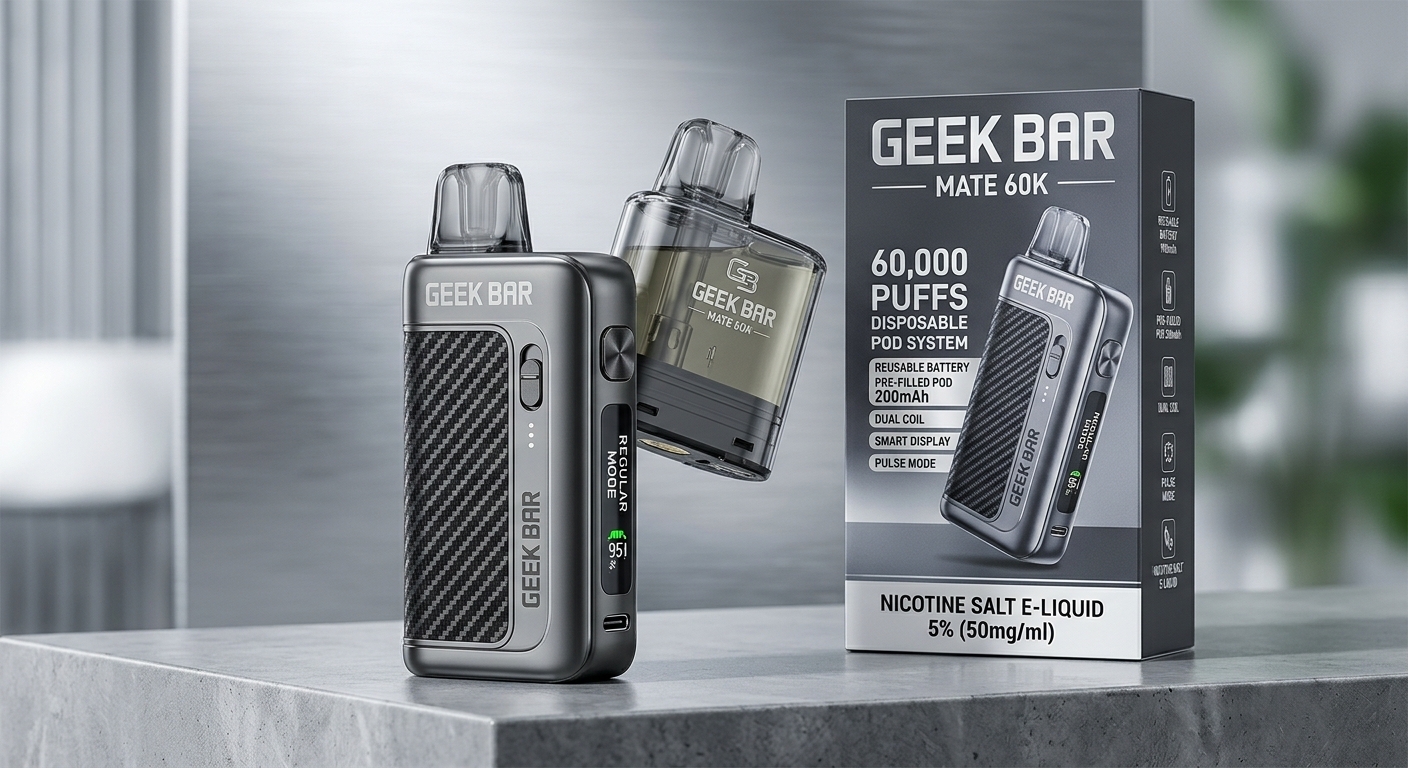
If your Mate 60K has gone quiet, tastes off, or will not charge, the fault is usually in one of three places: the pod, the battery device, or the magnetic link between them. Because the Mate splits into two parts, it is easy to blame the whole kit when only one part has failed.
The kit ships as a reusable battery unit plus a single pre-filled pod. Once that first pod is empty, you keep the unit and buy pods on their own. That is the whole point of the Mate, and it is also why its troubleshooting looks different from a sealed disposable. A pod that sits slightly loose, a contact with a film of condensation on it, or a pod that the chip has not finished reading yet can all produce the same symptom: nothing happens when you draw.
This guide walks through the ten issues Mate owners report most, in a mixed order so the guide does not read like every other Geek Bar page. You will find burnt flavor and battery drain first, then charging, auto-firing, and a pod that is not recognized, followed by flavor loss, leaking, weak vapor, the stuck Super Pulse fault, and flashing or screen trouble. Every section ends with a plain rule for what to replace, so you do not throw away a good device because one pod died, or keep a bad device because a fresh pod masked it for a day.
Read this before you touch anything else: Mate pods arrive sealed and already filled. Never pry one open, never top one up, never swap its coil, and never try to fix the battery inside the device. When an external check fails, swap the pod, or swap the device if the device is the faulty part. A unit that feels hot, looks swollen, is cracked, leaks badly, or smells like burnt plastic should not be charged or used again.
Jump to Section
Geek Bar Mate 60K at a Glance Specs and Entities
Before You Troubleshoot: Regular Mode vs. Pulse Mode
Geek Bar Mate 60K Troubleshooting: Common Problems at a Glance
Geek Bar Mate 60K Not Working: Problems and Quick Fixes
Geek Bar Mate 60K at a Glance Specs and Entities
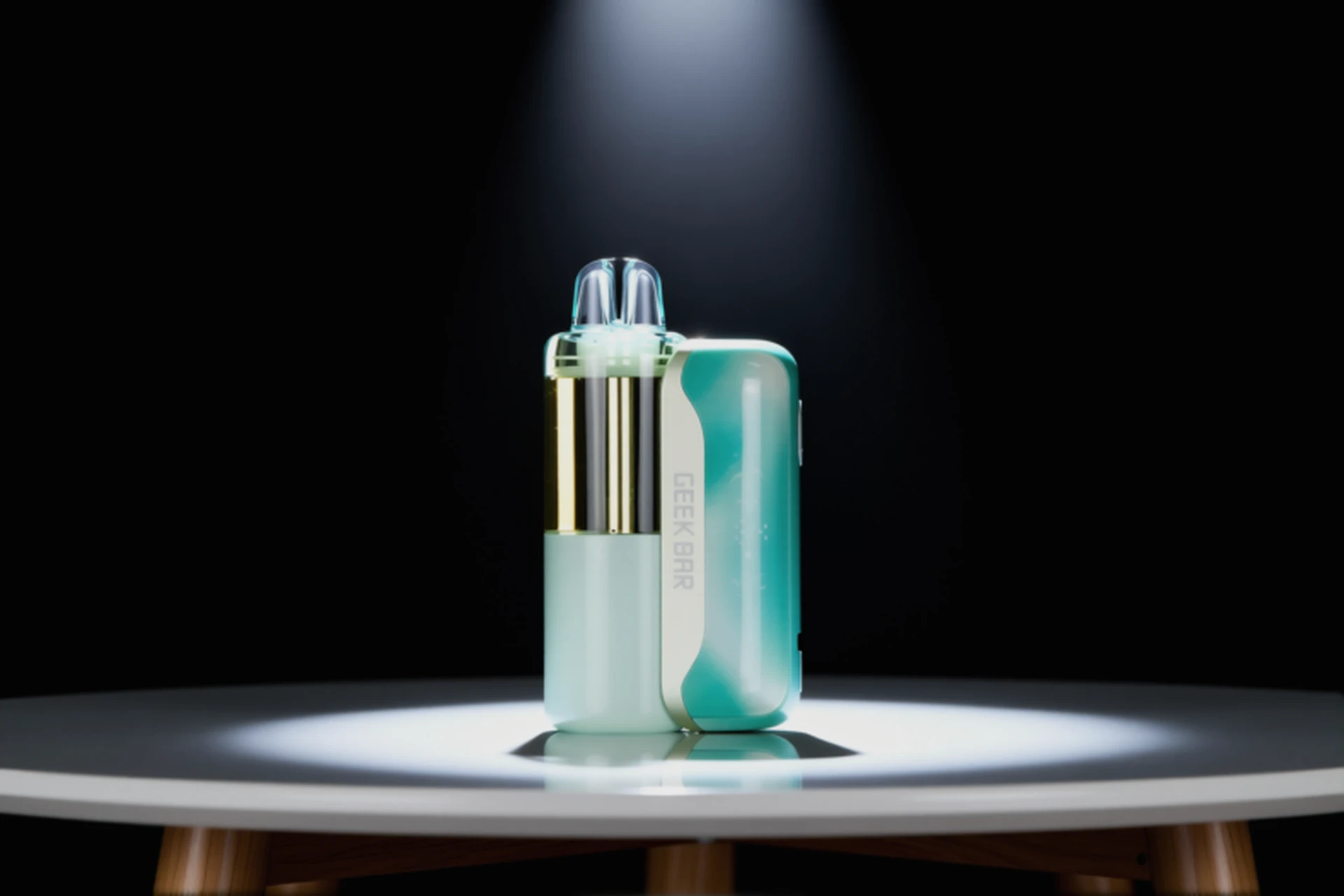
| Entity / feature | **What it is on the Mate 60K** |
| Brand | Geek Bar |
| Product line | Mate series, a modular pod kit, built differently from Geek Bar sealed disposables |
| Device type | Two-part kit: a battery unit you reuse, plus a pod you throw away when empty |
| Kit contents | One battery unit and one pre-filled pod in the box, with extra pods sold on their own |
| E-liquid | 15mL already inside each pod, 5% (50mg) nicotine salt, a single flavor in each pod |
| Puff rating | A maker rating of up to 60,000 puffs from one pod in Regular Mode, or up to 30,000 in Pulse Mode |
| Battery | 1,100mAh combined: 900mAh in the reusable unit, plus 200mAh inside every pod |
| Coil | A 1.1 ohm dual mesh coil sealed inside the pod, with no separate coil to change |
| Chip | Geek Bar VPU chip, which controls power and coil heat as you draw |
| Display | Dynamic Galaxy UI screen, reporting battery charge, puff count, and current mode |
| Activation | Inhale to vape, with a small button on the unit used only to change modes |
| Airflow / mode control | A ring around the base of the pod for draw resistance, plus the mode button on the unit |
| Draw range | From a tight mouth-to-lung pull to a restricted direct-to-lung pull, set by the airflow ring |
| Charging | USB-C charging through the unit, reaching about 80% in 20 minutes and a full charge in about 35 to 45 minutes |
Treat puff ratings as maximums from the maker, not promises. Longer pulls, heavy daily use, and Pulse Mode all cut the real count. On the Mate, that rating also belongs to the pod, not to the reusable unit, so a fresh pod resets the count.
On capacity, most detailed retailer listings put each pod at 15mL, while a few put it at 16mL. This guide follows the 15mL figure used by most listings. The troubleshooting does not change either way, because the pod is sealed and pre-filled in both cases.
On the 60,000 number, some shops describe the whole kit that way. The more precise way to read it, and the way this guide uses it, is up to 60,000 puffs from a single pod in Regular Mode. Finish a pod, fit a new one, and the count starts again.
Before You Troubleshoot: Regular Mode vs. Pulse Mode
Before you take anything apart, check the mode. A surprising share of Mate complaints turn out to be the wrong mode for the moment.
Regular Mode
Regular Mode runs at lower power and stretches a pod furthest, up to the 60,000 puff rating. Draws feel smoother and the battery lasts longer. Most owners spend most of their time here.
Pulse Mode
Pulse Mode pushes harder. Vapor gets warmer and denser, flavor gets louder, and the pod empties faster, down to a 30,000 puff rating. Battery drain speeds up in step.
Change modes with the small button on the unit, then look at the screen. It should show R or P. Guides disagree on whether a short press or a hold of about 2 seconds does the switching, so trust the screen, not the press length. If a hit suddenly feels weak, harsh, or far stronger than usual, or the battery seems to empty overnight, confirm the mode before you blame the pod.
Geek Bar Mate 60K Troubleshooting: Common Problems at a Glance
| Problem | **First thing to check** |
| Burnt taste | Mode, how often you draw, liquid left in the clear pod, and how old the pod is |
| Fast battery drain | Time spent in Pulse Mode, length of draws, whether the unit itself is charged, and charging gear |
| Not charging | Cable, adapter, the unit USB-C port, and whether the pod is seated |
| Auto-firing / getting hot | Stop at once, take the pod off if it is safe, never charge or reuse the faulty part |
| Not firing / pod not detected | How firmly the pod is seated, clean magnetic contacts, battery charge, and the 30-second wait |
| Flavor fading / flat taste | Liquid level, pod age, and mode, not mixing flavors inside a single-flavor pod |
| Leaking / gurgling / spitback | Pod seal, moisture at the magnetic joint, strength of draws, heat, and pod damage |
| Weak vapor / muted flavor | Pod seating, bubbles on the wick, battery charge, mode, and airflow ring position |
| Stuck in Super Pulse mode | Hold the mode button 2 to 3 seconds to reset, then confirm the mode on screen |
| Flashing / screen errors | Battery charge, whether the pod is recognized, screen state, and signs the pod is done |
Geek Bar Mate 60K Not Working: Problems and Quick Fixes
A Mate can stop firing, refuse to charge, leak, flash, or taste burnt for reasons in the pod, the unit, the link between them, the airflow ring, the mode, or the screen. The checks below help you tell which part is at fault, so you replace only that part.
Basic pod check, do this first for any problem below, unless that section tells you to stop for safety: Click the pod in firmly until it sits flush, wipe the magnetic contacts on the pod base and inside the unit with a dry cotton swab, wait 30 seconds after fitting, and make sure the unit is fully charged. If a fresh pod works after this check, the old pod was the fault.
If you want the original Pulse instead, the Pulse 15000 uses a bottom switch that explains many dead-device reports. That switch is covered in Geek Bar Pulse 15000 Not Working.
1. Why Does the Geek Bar Mate 60K Taste Burnt?
Burnt flavor almost always means the coil inside the pod is heating without enough liquid reaching it, or it is being driven too hard. Since that coil lives inside a sealed pod, there is no cleaning or repair that brings it back. Catch the cause early and you save the pod. Once the coil itself is scorched, only a new pod helps.
Common Causes
The pod is running low, even if the puff count on screen still looks healthy.
Draws taken one after another, with no gap for the wick to soak up more liquid.
Pulse Mode is used on a pod that is already low, adding heat exactly when the coil can least handle it.
A fresh pod is drawn on immediately after fitting, before the chip has read it and the coil has primed.
A pod at the end of its working life, where the coil has worn and the taste has turned harsh.
How to Fix
Do the basic pod check first.
Look through the clear pod first. Hold it up to the light. If liquid is very low, or the wick looks dry, stop vaping that pod. Low liquid is the leading cause of a burnt hit.
Drop back to Regular Mode. Change the mode with the button and confirm R on screen. The cooler, lower-power mode is far kinder to a pod that is getting low.
Leave gaps between draws. Give the pod several seconds after each draw, longer after a run of draws. The wick needs that time to pull liquid back in.
Draw more gently and for less time. Hard, long pulls strip liquid from the wick faster than it can return. A steady, moderate draw tastes cleaner and lasts longer.
When to Replace
Swap the pod when a burnt taste survives a switch to Regular Mode, pauses between draws, and a check of the liquid level, or when the pod is clearly low or old. Only consider the unit faulty if a brand-new pod tastes burnt right away and the unit shows other trouble, such as heat or flashing faults. Never refill a scorched pod or try to wash its coil.
2. Why Is the Geek Bar Mate 60K Battery Draining Quickly?
Quick drain is often not a fault at all. It is usually Pulse Mode, long draws, or an uncharged unit doing the work that the pod battery alone cannot do. Keep the two batteries straight in your head: 900mAh in the unit, only 200mAh in the pod. A pod used without a charged unit will always feel short-lived.
Common Causes
Most of the day is spent in Pulse Mode, which draws roughly twice the power of Regular Mode.
Long draws are taken often, draining both batteries far faster than short, spaced draws.
A unit that was never fully charged, leaving the small pod battery to carry the load.
An aging pod whose coil needs more power to make the same vapor.
A weak cable or adapter that never actually fills the unit, even after hours plugged in.
How to Fix
Do the basic pod check first.
Spend a day in Regular Mode and compare. Switch to R and note how long the charge lasts. A sharp improvement points straight at Pulse Mode, not at a broken battery.
Keep the pod on a charged unit. A pod can give a few draws on its own in some listings, but normal use, full power, and both modes all need the unit. If a pod feels weak alone, fit it to the charged unit.
Shorten draws and space them. Long, repeated draws empty any vape battery fast. Shorter draws with pauses help the battery and the coil alike.
Check for a stuck Super Pulse state. A device that feels far stronger than normal Pulse Mode and drains fast may be in the glitch covered in Section 9. Hold the mode button 2 to 3 seconds to reset it.
When to Replace
Change the pod when a fast drain follows one pod and a fresh pod behaves normally. Think about a new unit when it dies soon after a full charge no matter which pod is fitted, or when it shows swelling, heat, or damage. Never open the unit to change its battery yourself.
3. Why Is the Geek Bar Mate 60K Not Charging?
You charge the unit, not the pod on its own. The USB-C socket sits on the unit, and the pod battery fills through the magnetic link once the pod is seated. A Mate that will not charge can therefore be a cable fault, a port fault, a seating fault, or a battery fault, and the order you check them matters.
Common Causes
A tired USB-C cable, or a cable that is not pushed fully home.
A low-output adapter, a weak laptop port, or a loose wall socket.
Lint, dust, or dried liquid sitting in the unit USB-C socket.
A pod sitting loose, so the pod battery never receives charge from the unit.
A unit battery so flat that the screen needs a few minutes on charge before it wakes.
Port or battery damage after a drop or a liquid spill.
How to Fix
Swap the cable first. Try a USB-C cable you know works elsewhere. Push it straight and fully into the unit socket until it sits firm.
Swap the adapter and the socket. Use a normal phone wall adapter, not a very low-power port. Stay away from damaged sockets and from chargers far above the usual range.
Look inside the port, gently. With the cable out, check for lint or residue. Clear loose debris with a dry, soft tool. Never use metal or liquid inside the port.
Do the basic pod check. A loose pod breaks the charging path to the pod battery.
Wait a few minutes on a flat battery. A deeply discharged unit can look dead at first. Leave it plugged in and watch for the screen to wake and show a rising level.
Look for a charging sign on screen. A rising battery level or charging icon on the Dynamic Galaxy UI screen means power is flowing. No sign after a known-good cable and adapter points at the port or battery.
Never charge a damaged unit. Heat, swelling, cracks, or a burnt-plastic smell mean stop. Do not plug it in. See Section 4.
When to Replace
A new unit is the answer when the device still will not charge with a known-good cable and adapter, when the port is damaged, or when the screen stays blank after a full charging attempt. A new pod is the answer only when the unit charges fine but one pod never holds power or never fires. Pod batteries cannot be charged apart from the unit, so a pod that will not take charge through a working unit is a pod fault.
4. Why Is the Geek Bar Mate 60K Auto-Firing or Getting Hot?
Auto-firing means vapor keeps coming without a draw, or the unit stays hot after a draw ends. Treat this as a safety fault, not as a setting to tweak. Put the device down and stop.
Common Causes
A draw sensor held open by liquid, condensation, or debris, so it keeps thinking you are inhaling.
Liquid reaching the connection area and bridging the contacts.
A pod or unit damaged by a drop, a crush, or liquid exposure.
One faulty pod that keeps firing even after cleaning and refitting.
Heat built up by chain vaping in Pulse Mode, which can leave the unit warm even when it is not auto-firing.
How to Fix
Stop drawing at once. Do not try to vape through auto-firing. Set the device down somewhere safe, away from anything flammable.
Take the pod off, if it is safe to touch. When the unit is not too hot to handle, removing the pod breaks the power path in most cases. If it is too hot to hold, leave it alone in a safe, open spot until it cools.
Do not plug it in. A device that is auto-firing, hot, swollen, or damaged must never be charged. Charging a faulty battery can turn a fault into a fire risk.
Let it cool completely before handling it again. Keep it off bedding, clothing, and other heat-sensitive surfaces while it cools. Do not cool it in water and do not slip it into a pocket.
Inspect it once cool. Check for cracks, swelling, heavy leaking, or a warped pod. Any of those means the part should not be used again.
Test a different pod only when the unit is cool, undamaged, and quiet. If auto-firing returns with a new pod, the unit is faulty. If it only happens with one pod, that pod is faulty.
When to Replace
Replace the faulty part at once. A bad pod goes in the bin and a new pod goes on. A bad unit, or auto-firing with more than one pod, means the whole unit goes. Take a faulty lithium battery device to an e-waste or battery recycling point. Never put it in household trash, and never open, repair, or take it apart.
A pod or battery unit that is hot, swollen, or hissing should not be charged again, even if it cools down later. The U.S. Fire Administration’s lithium-ion battery guidance explains how to spot those warning signs and why a damaged battery is a fire risk, not just a dead part.
5. Why Is the Geek Bar Mate 60K Not Firing / Pod Not Detected?
A Mate that gives no vapor is often a detection problem, not a dead battery. The unit has to sense the pod through its magnetic contacts, read the pod chip, and trigger the draw sensor. Break any one of those steps and you get silence, even with a full charge.
Common Causes
A pod that has not clicked fully home, so the magnetic contacts barely touch.
Contacts filmed with condensation, dried liquid, dust, or stickiness.
A fresh pod drawn on too soon, before the chip has had about 30 seconds to read it.
A flat unit battery, leaving the pod to run on its small pod battery alone.
Airflow inlets are blocked, so the draw sensor never registers the inhale.
A pod that is empty, or a pod whose coil has failed.
A mouthpiece cap, plug, or packaging seal still fitted on a new pod.
How to Fix
Do the basic pod check first. Loose seating is the top cause here.
Remove packaging seals meant for removal. On a new kit or pod, take off the mouthpiece cap, plug, or seal the packaging says to remove. Leave internal pod seals that are not meant to come off.
Draw slowly and steadily. Pull firmly enough to wake the sensor, but not so hard that you flood the coil. If a feather-light draw does nothing, try a slightly stronger, even draw with the airflow ring open.
Open the airflow ring. Check the ring at the pod base is not fully shut. A closed ring can starve the sensor and stop firing altogether.
Fit a different pod. A fresh pod that fires normally proves the old pod was finished or faulty. No pod firing at all points at the unit or its sensor.
When to Replace
Change the pod when it is empty, damaged, or still silent after cleaning, firm refitting, a 30-second wait, and a full unit charge. Change the unit when no pod fires on it, the contacts are damaged, or the sensor fails on every pod. Keep the part that works: a good unit does not need binning because one pod failed, and a good pod does not need binning because the unit was flat.
6. Why Does the Geek Bar Mate 60K Flavor Fade or Taste Flat?
Fading flavor is usually the pod telling you it is near the end, not a mixing problem. Each pod carries one flavor, and you change flavor by changing pods. A pod that opened strong and now tastes muted, thin, or faintly papery is normally running low, with a coil that has done its work.
Common Causes
A pod near the end of its life, low on liquid and fitted with a worn coil.
Heavy Pulse Mode use, which wears the coil sooner and empties liquid sooner.
A pod is stored a long time, or stored somewhere warm, so its flavor has dulled.
A flat unit battery, giving weak, flat vapor from a pod that still has liquid in it.
A connection that is not clean, so power to the coil arrives unevenly.
Palate fatigue, where the same flavor tastes weaker after a long session, even though the pod is fine.
How to Fix
Do the basic pod check first.
Check the clear pod window. Low liquid means fading flavor is expected. A nearly empty pod will not bounce back with a settings change.
Move to Regular Mode. The gentler mode can give a cleaner, if lighter, taste from an aging pod. Pulse Mode on an old pod often turns flat flavor harsh rather than stronger.
Take a break from that flavor. After a long run on one flavor, a short break or a different pod can reset your palate. If flavor returns after the break, the pod was never the problem.
When to Replace
Swap the pod when flavor stays flat after a full charge, a move to Regular Mode, clean contacts, and a liquid-level check, or when the pod is low or has been in use a long time. Never try to revive a faded pod by topping it up, and never pour liquid into it. The pod is sealed for a reason. Only blame the unit if every fresh pod tastes flat on it, which points at a power or connection fault in the unit.
7. Why Is the Geek Bar Mate 60K Leaking or Gurgling?
A little condensation in a mouthpiece is normal. Real leaking, gurgling, or liquid reaching your mouth is not. On the Mate, trouble usually starts at the pod seal or at the magnetic joint, where moisture and liquid collect between pod and unit.
Common Causes
A pod that is not seated flush, letting liquid seep at the magnetic joint.
A cracked pod, a damaged seal, or a pod crushed in a pocket or bag.
Hard, fast draws that flood the coil with more liquid than it can turn to vapor.
Condensation left to build up in the mouthpiece and connection area.
Heat, such as a device left in a hot car or in direct sun, thinning liquid and expanding air in the pod.
A pod used past its end, where coil and seals no longer hold liquid well.
How to Fix
Do the basic pod check first.
Take the pod off and wipe the joint. Remove the pod, wipe the pod base, the unit connection, and the mouthpiece with a dry tissue or cotton swab. Clear condensation before it builds up.
Clear a flooded pod with care. If it gurgles, take the pod off, wrap tissue around the mouthpiece end, and blow gently through it away from your face to clear excess liquid. Wipe it clean, refit it, and draw lightly.
Draw softer and steadier. Hard pulls flood the coil and cause spitback. Slow, even draws let the coil vaporize liquid at the speed it arrives.
Store the device upright. Keep it upright in a cool, dry spot, not flat in a hot pocket or bag for hours. Heat and pressure changes make leaking worse.
Hold the clear pod to the light. Look for a crack, a warped seal, or liquid outside the pod body. Any of those means that pod should stop being used.
When to Replace
Change the pod when leaking carries on after cleaning, firm refitting, and softer draws, when the pod is cracked or its seal is damaged, or when liquid keeps reaching the unit connection. Change the unit when liquid has got inside the unit itself, the connection area is damaged, or the unit shows faults after a leak. Do not charge a unit with heavy liquid inside its connection until it is fully dry and undamaged.
8. Why Is the Vapor Weak or the Flavor Muted on the Geek Bar Mate 60K?
Weak vapor can feel like a dead pod, but on the Mate it is more often a link, mode, battery, or airflow issue. Start with the pod connection, because two-part power delivery fails more often than the coil itself.
Common Causes
A pod seated loosely, or contacts dirty or wet, so the coil receives uneven power.
Bubbles sitting over the pod wick, blocking liquid from reaching the coil evenly.
A flat unit battery, leaving the pod to run on its small pod battery alone.
Regular Mode, which is meant to feel lighter than Pulse Mode, especially if you expected a Pulse hit.
An airflow ring set very wide, making vapor feel thin, or set almost shut, choking the draw.
A pod low on liquid or near the end of its life.
Draws taken back to back, with no time for the wick to soak again.
How to Fix
Do the basic pod check first. This alone fixes many weak hits.
Tap the pod gently to shift bubbles. If bubbles cover the wick area through the clear pod, tap the pod lightly against your palm to break them, then stand it upright for a minute.
Confirm the mode on screen. In Regular Mode, a stronger hit means switching to Pulse Mode and confirming P on screen. Already in Pulse Mode with weak vapor points more at the pod or battery.
Set the airflow ring in the middle. Start in a middle position. Very wide airflow can feel thin, and a nearly shut ring can feel choked. The middle gives the most reliable draw for most people.
Pause between draws. Leave several seconds between puffs so the wick can soak again. Draws taken back to back often get weaker through a session.
When to Replace
Swap the pod when vapor stays weak after cleaning, firm refitting, a full charge, mode and airflow changes, and pauses between draws, or when the pod is low or old. Swap the unit when fresh pods are weak too, the contacts are damaged, or the unit will not hold a charge. Never try to boost a weak pod by opening it or topping it up.
9. Why Is the Geek Bar Mate 60K Stuck in Super Pulse Mode?
Super Pulse is a Mate-only glitch reported by reviewers, not a mode you choose on purpose. The unit jumps into an unintended high-power state that feels warmer and stronger than normal Pulse Mode, and an ordinary short press of the mode button will not pull it back.
Common Causes
A mode-button press that the VPU chip misreads, locking the unit into a high-power state.
Mode switching done rapidly, which reviewer reports link to the glitch happening more often.
A chip firmware quirk, rather than a broken button or a bad coil.
Simple confusion with normal Pulse Mode, where a stronger hit is expected, but Super Pulse feels stronger still and refuses to toggle back.
How to Fix
Hold the mode button for 2 to 3 seconds. This steady hold is the reported reset for the Super Pulse state. Release, then check the screen. It should show a normal Regular or Pulse mode.
Confirm the mode on screen, then test gently. Check for R or P, then take one short draw in Regular Mode to confirm the hit feels normal again.
Switch modes once, then wait. Change mode a single time, let the screen update, and then draw. Rapid tapping makes the glitch more likely to return.
If the hold fails, do the basic pod check, then hold the mode button 2 to 3 seconds again and check the screen.
Stay in Regular Mode for a while. If the glitch keeps coming back in Pulse Mode, use Regular Mode for main sessions and Pulse Mode only now and then. That does not fix the firmware, but it cuts how often you meet the glitch.
Press the button normally, never force it. A firm, normal press is enough. Jabbing or forcing the button can damage it and will not clear a chip state any faster.
When to Replace
A single Super Pulse episode that clears with a 2 to 3 second hold does not need a replacement, since reviewers describe it as a firmware quirk rather than a hardware break. Replace the unit when the button itself is physically damaged, when the unit will not leave the extra-strong state after a hold and a pod refit, or when it overheats in that state. Replace the pod only when the extra-strong hit follows one pod and not others, which points at that pod rather than the unit.
10. Why Is the Geek Bar Mate 60K Flashing or Showing Screen Errors?
Flashing or a blank screen is a status signal, not one single fault. It can mean a flat battery, a pod the unit cannot read, a draw that runs too long, or a pod that has reached its end. Read the screen together with battery charge and pod seating, not on its own.
Common Causes
A flat or low unit battery, the most common reason for flashing with no vapor.
A pod seated loosely or not recognized, so the unit cannot read the pod chip.
Magnetic contacts are dirty or wet, breaking the link between pod and unit.
A very long draw tripping a draw-time protection cut-off, showing as a flash and a stop.
A finished pod, where the screen shows liquid near empty and the unit stops firing.
A screen that is dim, blank, or slow to wake after a drop, liquid exposure, or deep discharge.
A unit stuck in Super Pulse, which can look like a mode or screen fault. See Section 9.
How to Fix
Do the basic pod check first. Many flashing cases clear with a full charge and a clean, firm pod fit. Section 3 covers charging in detail.
Read battery and liquid levels on screen. A full battery with liquid near empty means the pod is done. A low battery means charging is the fix, not a new pod.
Draw for less time. If flashing follows a very long draw, keep draws to about 3 to 4 seconds with pauses. Long draws can trip protection and cut the unit off.
Fit a different pod. A fresh pod that shows a normal screen and fires proves the old pod was faulty or finished. No pod showing normal screen points at the unit display or connection.
Give a deeply discharged unit time on charge. A blank screen after a flat battery does not always mean a dead screen. Leave it charging several minutes before judging it.
Stop if flashing comes with heat or damage. A unit that flashes while hot, swollen, or smelling of burning should not be used or charged. See Section 4.
When to Replace
Change the pod when flashing follows only one pod, when the pod is finished, or when a fresh pod works normally on the same unit. Change the unit when the screen stays blank after charging, when no pod is recognized, or when flashing carries on with every pod on a fully charged unit. Never try to repair the screen or battery yourself.
FAQS (FREQUENTLY ASKED QUESTIONS)
Why is the Geek Bar Mate 60K not working?
No vapor from a Mate usually comes from a pod that is not seated, contacts with condensation on them, a flat unit battery, an empty pod, a shut airflow ring, or a pod that has not had 30 seconds to register. Click the pod home, wipe the contacts, fill the unit battery, wait 30 seconds, and draw slowly and steadily. Stop at once if the unit overheats or looks damaged.
Why is the Mate pod not detected?
A pod goes undetected when its magnetic contacts barely touch, are dirty or wet, or when the chip has not finished reading it. Take the pod out, wipe the pod base and unit contacts with a dry cotton swab, click the pod home firmly, and wait about 30 seconds. A different pod that is detected normally proves the first pod was faulty or finished.
Why is the Mate 60K not hitting after charging?
After charging, a Mate can still miss if the pod is loose, if the pod battery never charged through the link, if the pod is empty, or if the mode is wrong. Refit the pod, clean the contacts, confirm battery and mode on screen, and test a fresh pod. A unit that charges but never fires any pod is likely faulty itself.
Why is a brand-new Mate 60K not working?
A new Mate can fail because the pod is not clicked fully home, a mouthpiece cap or packaging seal is still fitted, the unit battery is low after shipping, or the pod has not had 30 seconds to register. Remove seals meant for removal, seat the pod firmly, charge the unit, wait 30 seconds, and draw slowly. No light or response at all after that may mean a rare factory defect, so contact the seller with the packaging details.
Why is the Mate 60K flashing?
Flashing most often means a low battery, a pod the unit cannot read, a very long draw tripping protection, or an empty pod. Charge the unit, refit and clean the pod, read the screen levels, and keep draws shorter. Flashing with heat, swelling, or a burning smell means stop and do not charge it.
How long does it take to charge a Geek Bar Mate 60K?
Most listings put it at about 80% in 20 minutes and a full charge in about 35 to 45 minutes with a suitable USB-C adapter. Adapter, cable, and how flat the battery was all change the time. Judge battery life only after a full charge.
Can you refill a Geek Bar Mate 60K pod?
No. Mate pods arrive sealed and already filled, and they cannot be topped up with your own liquid. When a pod empties, pull it out and click in a new Geek Bar Mate pod. Topping one up risks leaking, coil damage, and liquid inside the unit connection.
Can you replace the coil on a Geek Bar Mate 60K?
No, not separately. The 1.1 ohm dual mesh coil sits sealed inside the pod. When it wears out or tastes burnt, the whole pod is replaced. The unit itself has no coil for you to change.
Why is the Mate 60K stuck in Super Pulse mode?
Super Pulse is a reported Mate glitch where a mode-button press locks the unit into an extra-strong state that an ordinary press will not leave. Hold the mode button 2 to 3 seconds to force a reset, then confirm a normal Regular or Pulse mode on screen. Rapid mode switching seems to trigger it more often, so switch once and wait.
How should I store a Geek Bar Mate 60K device and spare pods?
Keep the unit and spare pods upright somewhere cool and dry, away from direct sun, heat, and moisture. Leave pods sealed until you need them, keep magnetic contacts clean and dry, and avoid hot cars or tight pockets for long stretches. Heat and pressure make leaking and battery wear worse.