
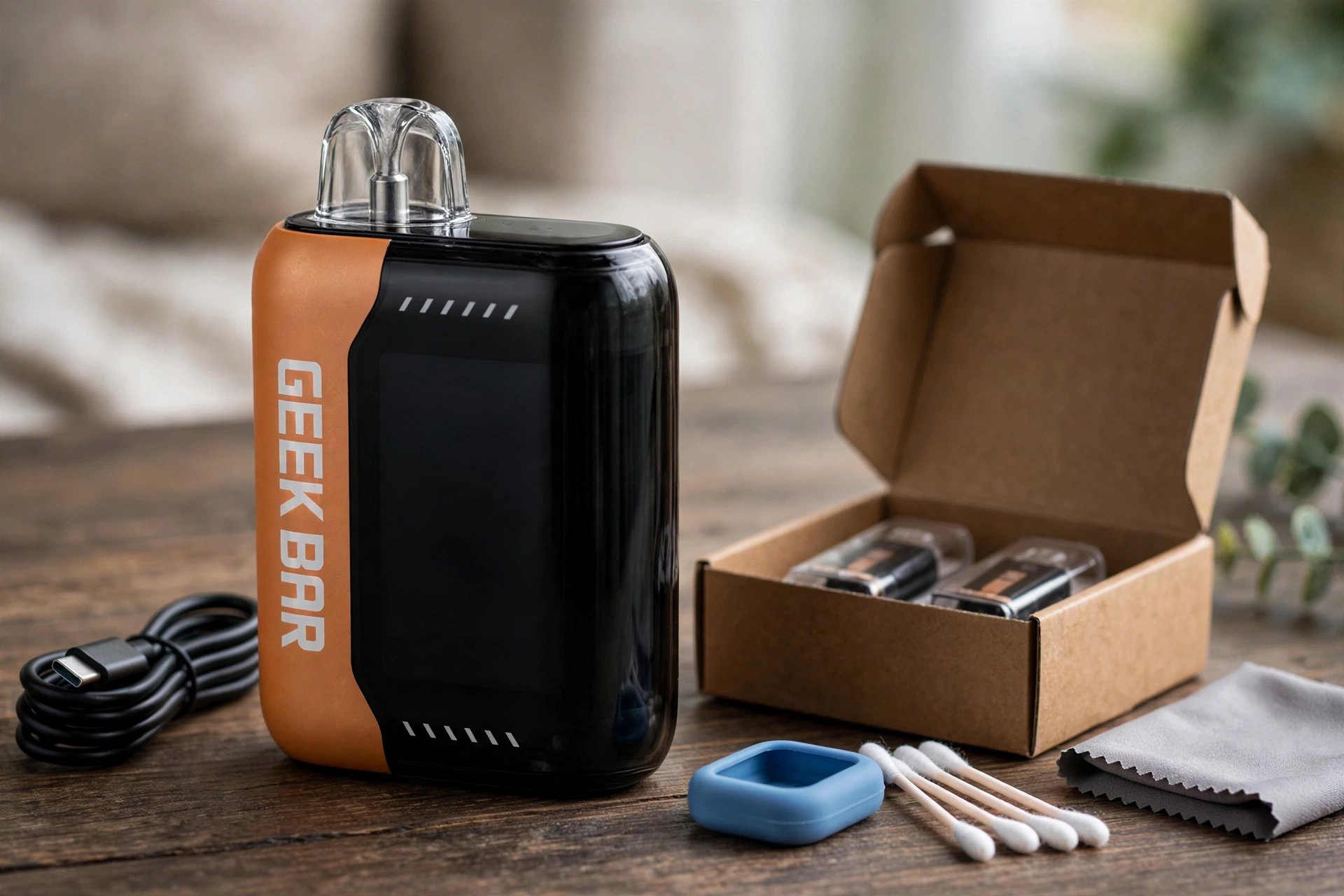
The Pulse X 25K is a sealed disposable vape with a feature that most disposables do not have: a 3D curved LED screen on the front of the device. That screen can tell you a lot about what is wrong before you try a single fix. When the device stops working, does not hit, tastes burnt, or will not charge, look at the screen first. It shows the battery percentage, the e-liquid level, the current mode, and animated graphics, and it lights up each time you draw and while the device is charging.
This guide walks through ten common problems on the Pulse X 25K, one at a time, with a fix for each one. Every fix here uses only the outside of the device. The Pulse X 25K is sealed, so there is no pod to remove, no coil to change, and no tank to refill. You do not need tools. If a fix does not work, the guide tells you when to stop and replace the device.
The Pulse X 25K comes in Regular Mode, rated up to 25,000 puffs, and Pulse Mode, rated up to 15,000 puffs. It holds 18mL of e-liquid with 5 percent nicotine salt, and it uses dual mesh coils with VPU technology. A separate Zero Nicotine version exists with 0 percent nicotine, but this guide covers the standard 5 percent version. Check the box if you are not sure which version you bought.
Safety warning: this guide is for adults 21 and older only. Do not use a vape that is cracked, swollen, leaking heavily, or hot to the touch. Do not charge a damaged device, do not leave a charging device unattended, and do not use a charger or cable that is frayed or damaged. Do not try to open a sealed disposable, refill it, or repair the battery or the coil yourself. If the device auto-fires, gets very hot, or gives off a strange smell, move it away from flammable material, do not put it in your pocket, and stop using it. Keep all vape products away from children and pets, and store them in a cool, dry place away from direct sunlight and heat.
Jump to Section
Geek Bar Pulse X 25K at a Glance: What the Curved Screen Shows You
Regular Mode and Pulse Mode on the Pulse X 25K
Geek Bar Pulse X 25K Problems at a Glance
Geek Bar Pulse X 25K Not Working: Ten Problems, Each With a Fix
Geek Bar Pulse X 25K at a Glance: What the Curved Screen Shows You
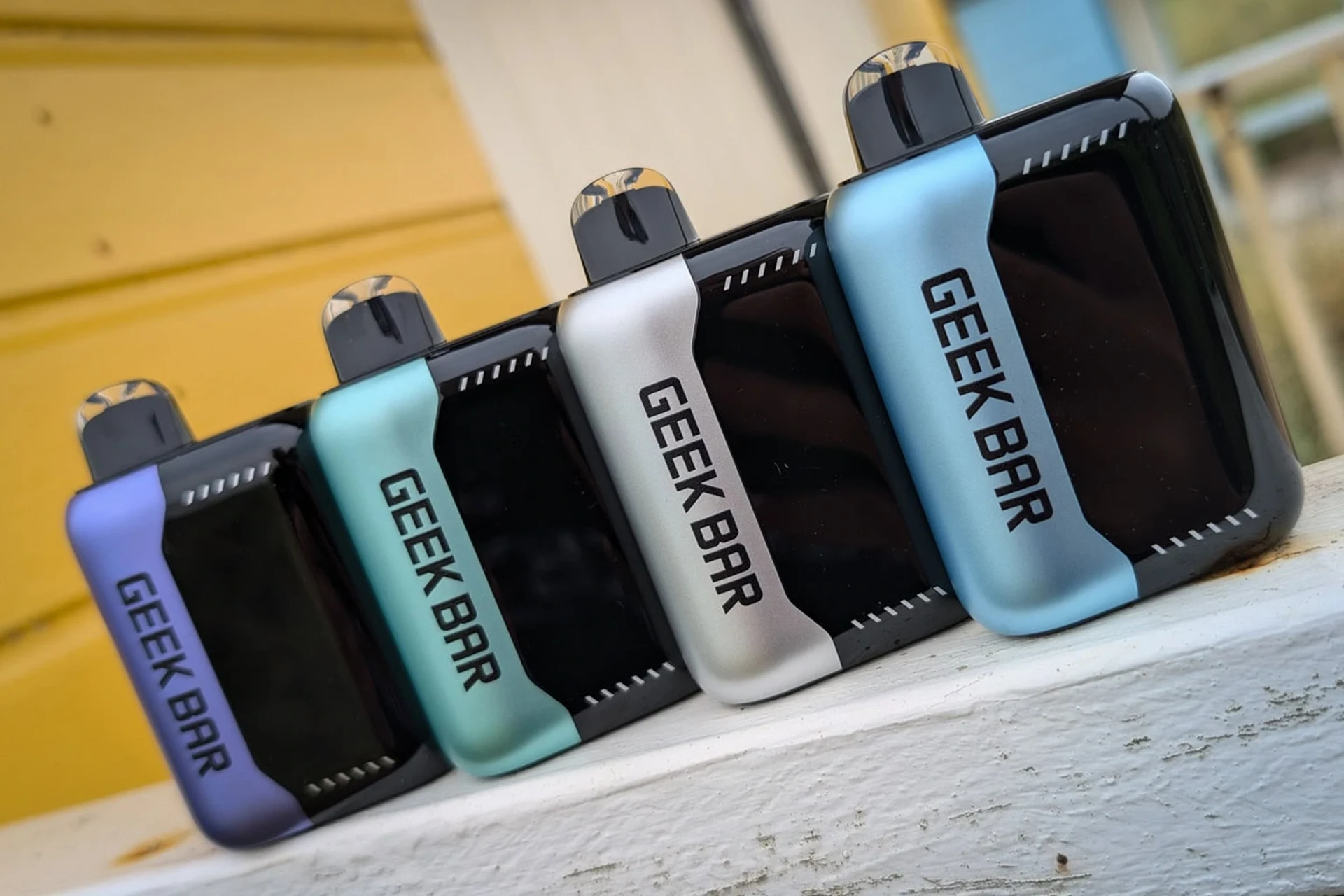
The curved screen is the most useful part of the Pulse X 25K when something goes wrong. It is a 3D curved LED screen with a Galaxy Cascade display and a Binary Halo light, and it was the first screen of its kind on a disposable vape. When you take a draw, the screen lights up and shows four things at once: how much battery is left, how much e-liquid is left, which mode the device is in, and an animated graphic that matches the mode. While the device is charging, the screen lights up again and shows the battery charging. After a draw or after charging, the screen dims to save power, which is normal.
Learn to read the screen before you worry about a fault. A low battery number explains weak vapor and a device that will not fire. A low e-liquid level explains a burnt taste and fading flavor. If the screen stays dark during a draw, check the battery first, then check whether the toggle is fully in a mode. If the screen flashes rapidly, that is often the protection circuit telling you to let the device rest and cool down.
The table below lists the main specifications for the Pulse X 25K. A full charge should take about 45 minutes, and some listings give a wider range of 30 to 60 minutes, so a charge that finishes in that range is normal. The size is about 91 x 57 x 28 mm in most listings, while one listing gives 91.7 x 57.6 x 28.5 mm, which is the same device measured slightly differently.
| Feature | Detail |
|---|---|
| Device type | Sealed disposable, not refillable, no removable pod, no removable coil |
| E-liquid capacity | 18mL |
| Nicotine strength | 5 percent (50mg per mL) nicotine salt; a separate Zero Nicotine version with 0 percent exists |
| Battery | 820mAh rechargeable, USB-C charging |
| Charging time | 0 to 80 percent in about 20 minutes, full charge in about 45 minutes; some listings give 30 to 60 minutes for a full charge |
| Puff rating | Up to 25,000 puffs in Regular Mode, up to 15,000 puffs in Pulse Mode |
| Coils | Dual mesh coils with VPU technology; coils alternate in Regular Mode and fire together in Pulse Mode |
| Screen | 3D curved LED screen with Galaxy Cascade UI and Binary Halo light; shows battery percentage, e-liquid level, mode, and animated graphics |
| Activation | Draw-activated, no fire button |
| Mode and airflow control | Bottom toggle or slider changes mode and airflow together; must sit fully in one mode or the device may not fire |
| Draw limit protection | Rapid flashing can mean the protection circuit tripped after a draw longer than about 8 seconds, overheating, or chain vaping; rest the device for 2 to 5 minutes |
| Dimensions | About 91 x 57 x 28 mm; one listing gives 91.7 x 57.6 x 28.5 mm |
| Flavors | Over 45 flavors |
| Resistance | No ohm or resistance figure is confirmed for this model |
Regular Mode and Pulse Mode on the Pulse X 25K
The Pulse X 25K has two modes, and the bottom toggle controls both the mode and the airflow at the same time. A problem that looks like a fault is often just the wrong mode. Regular Mode gives a smoother, cooler draw and the longest puff count. Pulse Mode gives a stronger, warmer draw with more vapor, and it uses e-liquid and battery faster. The toggle must sit fully in one mode. If it stops halfway, the device may not fire, or the screen may show a mode that does not match the hit you get. Always push the toggle firmly to one end and check the screen to confirm the mode before you try anything else.
Regular Mode
Regular Mode is the standard setting, rated up to 25,000 puffs. In this mode the two mesh coils take turns, with one coil firing while the other rests, which keeps the vapor cooler and smoother. The draw is lighter, the flavor is steady, and the battery and e-liquid last longer than they do in Pulse Mode. Use Regular Mode for everyday vaping and when you want the device to last as long as possible. If the vapor feels weak here, check the battery level and the e-liquid level on the screen first. A device that works well in Regular Mode but feels harsh in Pulse Mode is usually fine.
Pulse Mode
Pulse Mode is the stronger setting, rated up to 15,000 puffs. In this mode both mesh coils fire together, which gives a warmer hit, denser vapor, and a stronger flavor, but it also drains the battery and the e-liquid much faster. Use Pulse Mode for a short, strong session, then switch back to Regular Mode if the hit feels too warm. Do not chain vape in Pulse Mode, because long draws back to back can heat the coils and trip the protection circuit. If the device flashes or feels warm, let it rest for 2 to 5 minutes, then try a slow draw in Regular Mode.
Geek Bar Pulse X 25K Problems at a Glance
The table below gives a quick first check for each of the ten problems in this guide, in the same order as the problem sections that follow. Find the problem that matches your device, try the first check, and then read the full section if it does not fix it.
| Problem | First thing to check |
|---|---|
| Burnt taste | E-liquid level on the screen and whether the device is nearly empty |
| Not firing or not hitting | Battery level on the screen and whether the bottom toggle sits fully in a mode |
| Flashing or screen errors | Whether the device is hot or you have been chain vaping, then let it rest for 2 to 5 minutes |
| Not charging | Cable, USB port, and whether the screen lights up while charging |
| Leaking or gurgling | Liquid in the mouthpiece and whether the device has been stored on its side or in heat |
| Flavor fading | E-liquid level, mode, and how long the device has been in use |
| Weak vapor | Battery level, mode, and whether the toggle is fully in a mode |
| Battery draining quickly | Mode, draw length, and how often you are drawing |
| Draw or airflow too tight | Toggle position and whether the mouthpiece or airflow path is blocked |
| Auto-firing or getting hot | Move the device away from flammable material and stop using it at once |
Basic check: before you work through any single problem, run this short check once, because it fixes a large share of Pulse X 25K faults on its own. First, charge the device fully, and watch the screen while it charges so you can see the battery percentage rise. Second, push the bottom toggle firmly so it sits fully in one mode, then look at the screen to confirm the mode you want. Third, wipe the mouthpiece with a clean, dry cloth and blow gently through the mouthpiece away from your face to clear any loose liquid. Fourth, look at the screen for the battery level and the e-liquid level. Fifth, rest the device upright for a few minutes so any liquid inside can settle back where it belongs. After the basic check, take one slow, gentle draw and see what changes. Each problem section below refers back to this basic check in one line.
This Pulse X 25K is the bigger brother of the Geek Bar Pulse 2 25K: same 25,000 / 15,000 puff split, same dual mesh coils with VPU, and the same bottom toggle that changes mode and airflow together. The difference is the screen: the Pulse X 25K has a 3D curved screen, while the Pulse 2 has a raised dome screen. If your device is a Pulse 2, not a Pulse X, start with our Geek Bar Pulse 2 25K Not Working guide, which covers the same mode, slider and charging checks for that sealed bar.
Geek Bar Pulse X 25K Not Working: Ten Problems, Each With a Fix
Why Does the Geek Bar Pulse X 25K Taste Burnt?
A burnt taste almost always points to the coils running dry. The dual mesh coils need e-liquid around them to make vapor, and when the liquid runs low, the coils heat the dry cotton instead, which gives a harsh, burnt flavor. The same taste can appear when the device has been used hard in Pulse Mode, because both coils firing together use liquid faster than one coil at a time. It can also follow a long draw, a run of draws with no pause, or a device stored in a hot place, which thins the liquid and lets it move away from the coils.
Common Causes
- The e-liquid level is low or empty, and the screen shows a nearly empty tank.
- The device has been used in Pulse Mode for a long stretch, so both coils have used liquid faster than it can soak back in.
- A long draw or chain vaping has heated the coils past the point where the liquid can keep up.
- The device was stored in heat or on its side, so liquid moved away from the coils.
How to Fix
- Run the basic check first, then look at the e-liquid level on the screen before you draw again.
- If the level is low, switch to Regular Mode, which is gentler on the remaining liquid.
- Rest the device upright for 5 to 10 minutes so the liquid can soak back in.
- Take a slow, short draw of about 2 to 3 seconds, then wait 30 seconds before the next draw.
- If the burnt taste fades after a rest, keep your draws short and stay in Regular Mode.
- If the burnt taste stays strong on every draw after a rest, the coils have been scorched.
When to Replace
Replace the device when the burnt taste stays on every draw after a rest in Regular Mode, when the screen shows the e-liquid level at empty, or when the device is close to its rated puff count. A burnt taste that never clears means the coils are damaged. Dispose of the device safely following local rules for battery products, and do not try to refill it or open it.
Why Is the Geek Bar Pulse X 25K Not Firing or Not Hitting?
A device that will not fire can feel alarming, but the cause is usually simple, and the screen will often tell you what it is. The most common reason is a flat battery, which shows as a low percentage or a dark screen. The next most common reason is the bottom toggle sitting between modes, which stops the device from firing at all. A blocked mouthpiece, liquid in the airflow path, or a draw that is too short or too hard can also stop the vapor from reaching you. Because the Pulse X 25K is draw-activated and has no fire button, there is no button to press, and pressing on the screen or the body will not help.
Common Causes
- The battery is flat or very low, and the screen shows a low percentage or stays dark.
- The bottom toggle is stuck between Regular Mode and Pulse Mode, so the device does not know which mode to use.
- The mouthpiece is blocked by liquid, lint, or debris from a pocket or bag.
- The draw is too short or too sharp, so the draw sensor does not register it.
How to Fix
- Run the basic check first, and charge the device fully if the battery level is low.
- Push the bottom toggle firmly to one end, then check the screen to confirm the mode.
- Wipe the mouthpiece with a clean, dry cloth, and blow gently through it away from your face.
- Take a slow, steady draw for 3 to 4 seconds, instead of a short, sharp puff.
- If the screen lights up but no vapor comes out, rest the device upright and try one more slow draw in Regular Mode.
- If the screen stays dark after a full charge, the battery or the sensor may have failed.
When to Replace
Replace the device when it will not fire after a full charge, with the toggle fully in a mode and the mouthpiece clear, and the screen stays dark or shows a full battery with no vapor at all. A device that lights up but never produces vapor has a failed coil or sensor, and it cannot be repaired because the device is sealed.
Why Is the Geek Bar Pulse X 25K Flashing or Showing a Screen Error?
Flashing on the Pulse X 25K is a signal, and the pattern matters. A slow flash during charging usually means the device is charging normally. Rapid flashing during a draw usually means the protection circuit has tripped, and the device is telling you to stop and let it cool down. The protection circuit can trip after a draw longer than about 8 seconds, after chain vaping, or when the device has become too warm. A screen that shows the wrong mode, a frozen image, or a battery number that jumps up and down can also point to a low battery or a toggle that is not fully in a mode.
Common Causes
- The protection circuit tripped after a very long draw, chain vaping, or overheating.
- The battery is very low, so the screen cannot show a steady reading.
- The bottom toggle is sitting between modes, so the screen shows a mode that does not match the draw.
- The device has been left in heat or direct sunlight, which can confuse the screen and the sensor.
How to Fix
- Run the basic check first, then stop drawing and let the device rest and cool for 2 to 5 minutes.
- Move the device to a cool, shaded place, away from sunlight and heat.
- Check that the toggle sits fully in one mode, then look at the screen again.
- Charge the device fully if the battery is low, and watch the screen while it charges.
- Take one slow draw in Regular Mode after the rest, and stop if the rapid flashing returns.
- If the screen stays frozen or blank after a full charge and a rest, the display or the battery may have failed.
When to Replace
Replace the device when rapid flashing returns on every draw after a full charge and a rest, when the screen stays blank or frozen, or when the battery reading jumps wildly and never settles. A sealed device cannot be opened to fix its electronics. Dispose of the device safely, and do not keep charging a device whose screen will not behave normally.
Why Is the Geek Bar Pulse X 25K Not Charging?
A Pulse X 25K that will not charge is frustrating, but the fault is often in the cable or the power source rather than in the device itself. The screen should light up when charging starts, and the battery percentage should rise over time. If the screen stays dark, check the cable, the USB port, and the power source before you blame the device. Lint and dust in the USB-C port can stop the cable from seating fully, and a weak power source, such as a low-power laptop port, may not give enough current to charge the 820mAh battery.
Common Causes
- The USB-C cable is damaged, loose, or not pushed fully into the port.
- The power source is too weak, such as a low-power laptop port or an old charger.
- Lint, dust, or dried liquid in the USB-C port stops the cable from seating fully.
- The battery is deeply flat after a long period without use, so the screen takes a few minutes to wake up.
How to Fix
- Run the basic check first, then try a different USB-C cable that you know works with another device.
- Plug the cable into a wall charger or a powered USB port, not a low-power laptop port, and push the connector firmly into the device.
- Look for lint or dust in the USB-C port, and remove it gently with a dry wooden toothpick, without using metal.
- Leave the device plugged in for at least 10 minutes, even if the screen stays dark at first.
- Watch the screen for a charging icon or a rising battery percentage.
- If a second cable and a second power source both fail, the charging port or the battery may have failed.
When to Replace
Replace the device when it will not charge with two different cables and two different power sources, when the USB-C port is loose or damaged, or when the screen never lights up during charging after 15 minutes plugged in. A sealed disposable cannot have its port or battery replaced. Dispose of it safely, and do not force a cable into a damaged port.
Why Is the Geek Bar Pulse X 25K Leaking or Gurgling?
Leaking and gurgling come from the same place: e-liquid where it should not be, usually in the mouthpiece or the airflow path. A small amount of liquid in the mouthpiece can make a gurgling sound and spit tiny drops into your mouth. Leaking is more common when the device has been stored on its side, left in heat, or carried in a pocket where it gets squeezed. A device overused in Pulse Mode can also flood the coils, because both coils firing together can pull more liquid than the airflow can clear. Spitback, where hot liquid pops into the mouth, is part of the same problem and needs the same fix.
Common Causes
- Liquid has collected in the mouthpiece after long draws or after the device was stored on its side.
- The device was left in heat, which thins the liquid and lets it flow into the airflow path.
- The coils are flooded after heavy use in Pulse Mode, so liquid sits in the airway instead of turning to vapor.
- The device has a crack or a loose seal, which lets liquid escape from the body.
How to Fix
- Run the basic check first, then hold the device with the mouthpiece pointing down over a tissue and tap it gently.
- Wipe the mouthpiece and the outside of the device with a clean, dry cloth.
- Blow gently through the mouthpiece away from your face to push liquid out, then wipe again.
- Rest the device upright for a few minutes, and store it upright from now on, away from heat.
- Switch to Regular Mode and take slow, short draws.
- If liquid keeps coming out of a crack in the body, stop using the device.
When to Replace
Replace the device when liquid keeps leaking from the body after you have cleared the mouthpiece and stored it upright, when spitback happens on every draw, or when you can see a crack in the body or the mouthpiece. A cracked device should not be used or charged. Wipe the liquid off your hands, dispose of the device safely, and start a fresh one.
Why Has the Flavor Faded on the Geek Bar Pulse X 25K?
Flavor fading is different from a burnt taste. With fading flavor, the vapor still comes out, but it tastes weak, flat, or dull. This is normal near the end of a disposable, when the e-liquid level is low and the coils have been used for thousands of puffs. It can also happen early if the device has been stored in heat or sunlight, or if you have been vaping the same flavor for a long time and your taste buds have grown used to it. A device left unused for weeks can also lose some flavor.
Common Causes
- The e-liquid level is low, so the coils are drawing on the last of the liquid.
- The device is near the end of its rated puff count, and the coils are worn.
- The device was stored in heat or direct sunlight, which dulls the flavor.
- Your taste buds have grown used to the same flavor after long, steady use.
How to Fix
- Run the basic check first, then look at the e-liquid level on the screen to see how much is left.
- Switch to Pulse Mode for one or two draws, because both coils firing together can lift the flavor.
- Drink some water and take a break for 30 minutes, then try again.
- Try a different flavor for a while if you have a second device, then come back to this one.
- Store the device upright in a cool, dry place, away from sunlight and heat.
- If the flavor stays flat in both modes after a break, the liquid or the coils are near the end of their life.
When to Replace
Replace the device when the flavor stays weak and flat in both modes, when the screen shows the e-liquid level is nearly empty, or when the device is close to its rated puff count and the flavor has faded for good. There is no way to add flavor back to a sealed disposable, so move on to a fresh device when the taste is gone.
Most of the problems in this guide are about the device, but it is worth knowing the bigger picture too. Vaping is less harmful than smoking, but it is not completely harmless, and the long-term effects are still unknown. The NHS page on vaping to quit smoking explains those facts in plain language, including why children and non-smokers should never vape, and the simple safety rule to always use the right charger and never leave a vape charging unattended.
Why Is the Vapor Weak on the Geek Bar Pulse X 25K?
Weak vapor means the device still works, but the clouds are thin and the hit feels light, even when you draw normally. The first thing to check is the battery, because a low battery cannot heat the dual mesh coils properly. The mode matters too, because Regular Mode is meant to be lighter than Pulse Mode, so a device that feels weak in Regular Mode may be working exactly as designed. A toggle that is not fully in a mode, a blocked mouthpiece, or liquid in the airflow path can also cut the vapor down.
Common Causes
- The battery is low, so the coils do not get enough power to make dense vapor.
- The device is in Regular Mode, which gives lighter vapor than Pulse Mode by design.
- The bottom toggle is not fully in a mode, so the coils do not fire at full power.
- The mouthpiece or the airflow path is partly blocked by liquid or debris.
How to Fix
- Run the basic check first, then charge the device fully and watch the battery percentage rise on the screen.
- Push the toggle firmly into Pulse Mode and take a slow draw, to see if the vapor gets denser.
- Wipe the mouthpiece, blow gently through it away from your face, and check that the airflow path is clear.
- Take a slow, steady draw for 3 to 4 seconds, and leave at least 20 seconds between draws so the coils can recover.
- If the vapor is still thin after a full charge, switch back to Regular Mode and compare the two modes.
- If both modes give thin vapor after a full charge, the coils may be worn.
When to Replace
Replace the device when the vapor stays thin in both modes after a full charge, with the toggle fully in a mode and the mouthpiece clear, and the e-liquid level is low or the device is near its rated puff count. Thin vapor that never recovers means the coils have lost their power. Dispose of the device safely and start a fresh one.
Why Is the Geek Bar Pulse X 25K Battery Draining So Fast?
A battery that drains fast can feel like a fault, but it is often the result of how the device is being used. Pulse Mode uses more power than Regular Mode, because both coils fire together, so a device used mostly in Pulse Mode will need charging much sooner. Long draws, chain vaping, and frequent draws through the day all drain the 820mAh battery faster, and a device left in a hot place can lose charge even when it is not being used. If the battery drains in a few hours with light use in Regular Mode, the battery itself may be failing.
Common Causes
- The device is used mostly in Pulse Mode, which drains the battery faster than Regular Mode.
- Long draws and chain vaping keep the coils firing with no rest between draws.
- The device is used very often through the day, so the puff count climbs fast.
- The battery is old or has been through many charge cycles, so it holds less charge than it did at first.
How to Fix
- Run the basic check first, then charge the device fully and note the battery percentage on the screen.
- Switch to Regular Mode for everyday use, and save Pulse Mode for short sessions only.
- Keep draws short, about 2 to 3 seconds, and leave at least 20 to 30 seconds between draws.
- Check the battery on the screen often, so you can charge before it runs flat.
- Store the device in a cool, dry place, and do not leave it in a hot car or in direct sunlight.
- If the battery still drops fast with light use in Regular Mode, the battery may be worn out.
When to Replace
Replace the device when the battery will not hold a charge through a normal day of light use in Regular Mode, when a full charge drops to empty after only a few draws, or when the device is near its rated puff count and the battery has faded. A battery that cannot hold a charge cannot be replaced in a sealed disposable. Dispose of it safely following local rules for battery products.
Why Is the Draw Too Tight on the Geek Bar Pulse X 25K?
A tight draw means you have to pull hard to get vapor, and the hit feels blocked or restricted. On the Pulse X 25K, the airflow changes with the mode, because the bottom toggle controls mode and airflow together. A toggle that is not fully in a mode can leave the airflow half open, which makes the draw feel tight and can stop the device from firing. Liquid in the mouthpiece, lint in the airflow path, or a mouthpiece pressed against something in a pocket can also block the draw. A tight draw is not always a fault, but a sudden change in how the draw feels is worth checking.
Common Causes
- The bottom toggle is sitting between modes, so the airflow is only half open.
- The device is in Pulse Mode, which has a tighter, more intense draw than Regular Mode.
- Liquid, lint, or debris is blocking the mouthpiece or the airflow path.
- The mouthpiece is pressed against fabric or another object in a pocket or bag.
How to Fix
- Run the basic check first, then push the toggle firmly to one end and check the mode on the screen.
- Try the other mode and compare the draw, because Regular Mode and Pulse Mode have different airflow by design.
- Wipe the mouthpiece, blow gently through it away from your face, and check that nothing is blocking the airway.
- Hold the device so the mouthpiece is free and clear, and take a slow, steady draw instead of a hard, fast pull.
- Rest the device upright for a few minutes if liquid is in the airway, then try one slow draw.
- If the draw stays tight in both modes after the mouthpiece is clear, the airflow path inside may be blocked.
When to Replace
Replace the device when the draw stays tight or blocked in both modes after you have cleared the mouthpiece and set the toggle fully in a mode, and no vapor comes out on a slow, steady draw. A blocked airway inside a sealed device cannot be opened or cleaned. Dispose of it safely and start a fresh device.
Why Is the Geek Bar Pulse X 25K Auto-Firing or Getting Hot?
Auto-firing means the device fires on its own without a draw, and a device that gets hot without being used is a serious warning. Do not treat this problem like the others in this guide. A hot or auto-firing device can be a fire risk, and the correct response is to stop using it at once and move it somewhere safe. Auto-firing can be caused by liquid in the sensor, damage from a drop, heat, or a fault in the electronics. If you are not sure whether the heat is normal, treat it as the serious case.
Common Causes
- Liquid has reached the draw sensor, so the device thinks you are drawing when you are not.
- The device was dropped or crushed, which damaged the sensor or the battery.
- The device was left in heat, which can trigger the electronics and the battery.
- The battery or the electronics inside have failed, which can cause heat and auto-firing.
How to Fix
- Stop using the device at once, and do not take another draw.
- Move the device away from flammable material, out of your pocket, and onto a hard, non-flammable surface in a well ventilated place.
- Do not charge the device, do not put it in water, and do not try to open it.
- Let the device cool down on its own.
- If the device keeps firing, smokes, or gives off a strange smell, move away from it.
- Do not try any fix from the other sections on a device that auto-fires or stays hot.
When to Replace
Replace the device at once. An auto-firing or hot device is finished, and it should never be used again. Dispose of it safely following local rules for battery products. Do not put a hot or auto-firing device in a bin with other waste, and do not store it in a pocket, a bag, or a car.
FAQS (FREQUENTLY ASKED QUESTIONS)
Why Is the Geek Bar Pulse X 25K Not Working?
The most common reasons are a flat battery, a toggle that is not fully in a mode, or an empty e-liquid tank. Run the basic check first: charge the device fully, push the toggle firmly into one mode, wipe the mouthpiece, and look at the battery and e-liquid levels on the screen. If the screen stays dark after a full charge, the battery or the sensor may have failed. A device that still does nothing after those checks has reached the end of its life and should be replaced.
Why Is the Geek Bar Pulse X 25K Not Hitting After Charging?
If the device will not hit after a full charge, check the toggle first, because a toggle stuck between modes stops the device from firing. Push it firmly to one end and confirm the mode on the screen. Next, wipe the mouthpiece and blow gently through it to clear liquid from the airway. Then take a slow, steady draw for 3 to 4 seconds, because a very short puff may not trigger the draw sensor. If no vapor comes out with a full battery and the toggle fully in a mode, the coil or the sensor may have failed, and the device should be replaced.
Why Is a Brand-New Geek Bar Pulse X 25K Not Working?
A brand-new device that will not work is usually flat from the box, or the toggle is not fully in a mode. Charge it fully first, and watch the screen while it charges. Then push the toggle firmly into Regular Mode and check the screen. Wipe the mouthpiece, because a new device can have a small amount of liquid in the airway from shipping, and take a slow draw. If the device still does not fire after a full charge, return it to the shop where you bought it if it never works.
What Does Flashing Mean on the Geek Bar Pulse X 25K?
A slow flash while charging usually means the device is charging normally. Rapid flashing during a draw usually means the protection circuit has tripped, often after a draw longer than about 8 seconds, after chain vaping, or when the device has become too warm. Stop drawing, let the device rest and cool for 2 to 5 minutes in a cool place, and then try a slow draw in Regular Mode. If rapid flashing returns on every draw after a full charge and a rest, the device has a fault and should be replaced.
Why Is the Screen Not Working on the Geek Bar Pulse X 25K?
The screen lights up on a draw and while charging, then dims to save power, so a dark screen between draws is normal. If the screen never lights up, check the battery first, because a flat battery cannot power the display. Charge the device fully and watch for a charging icon. A screen that stays blank, frozen, or shows numbers that jump wildly after a full charge has an electronics fault, and the device should be replaced.
Why Does the E-Liquid Level Look Wrong on the Geek Bar Pulse X 25K?
The e-liquid level on the screen is a guide, not an exact measure, and it can lag behind the real level after heavy use or a long rest. If the level looks lower than you expect, the device may have been stored on its side or in heat, so liquid moved away from the sensor. Rest the device upright for a few minutes and check the level again. Trust the taste as well as the screen: a burnt taste or fading flavor means the liquid is nearly gone, even if the screen still shows some left.
Why Is the Geek Bar Pulse X 25K Not Charging?
Check the cable and the power source before you blame the device. Try a different USB-C cable that you know works, and plug it into a wall charger instead of a low-power laptop port. Push the connector firmly into the port, and check for lint or dust that stops the cable from seating fully. Leave the device plugged in for at least 10 minutes, because a deeply flat battery can take time to wake up. If two cables and two power sources both fail, the port or the battery has failed and the device should be replaced.
How Long Does the Geek Bar Pulse X 25K Take to Charge?
A full charge takes about 45 minutes, and the device reaches 0 to 80 percent in about 20 minutes. Some listings give a wider range of 30 to 60 minutes for a full charge, so a charge that finishes inside that range is normal. Use a standard USB-C cable and a wall charger, and watch the battery percentage rise on the screen while it charges. Do not leave a charging device unattended. If the device takes much longer than an hour to charge, the battery may be worn out.
Why Does the Geek Bar Pulse X 25K Taste Burnt?
A burnt taste means the dual mesh coils are running dry, usually because the e-liquid level is low or the device has been used hard in Pulse Mode. Rest the device upright for 5 to 10 minutes so the liquid can soak back into the coils, then switch to Regular Mode and take short, slow draws with at least 30 seconds between them. If the burnt taste stays strong on every draw after a rest, the coils have been scorched, and the device should be replaced.
How Do You Know When the Geek Bar Pulse X 25K Is Finished?
The screen gives the clearest sign: when the e-liquid level shows empty and the battery will not hold a charge, the device is finished. Other signs are a burnt taste that never clears, flavor that has faded for good, vapor that stays thin in both modes after a full charge, and a puff count close to 25,000 in Regular Mode or 15,000 in Pulse Mode. Dispose of the device safely following local rules for battery products, and do not try to refill it or open it.