
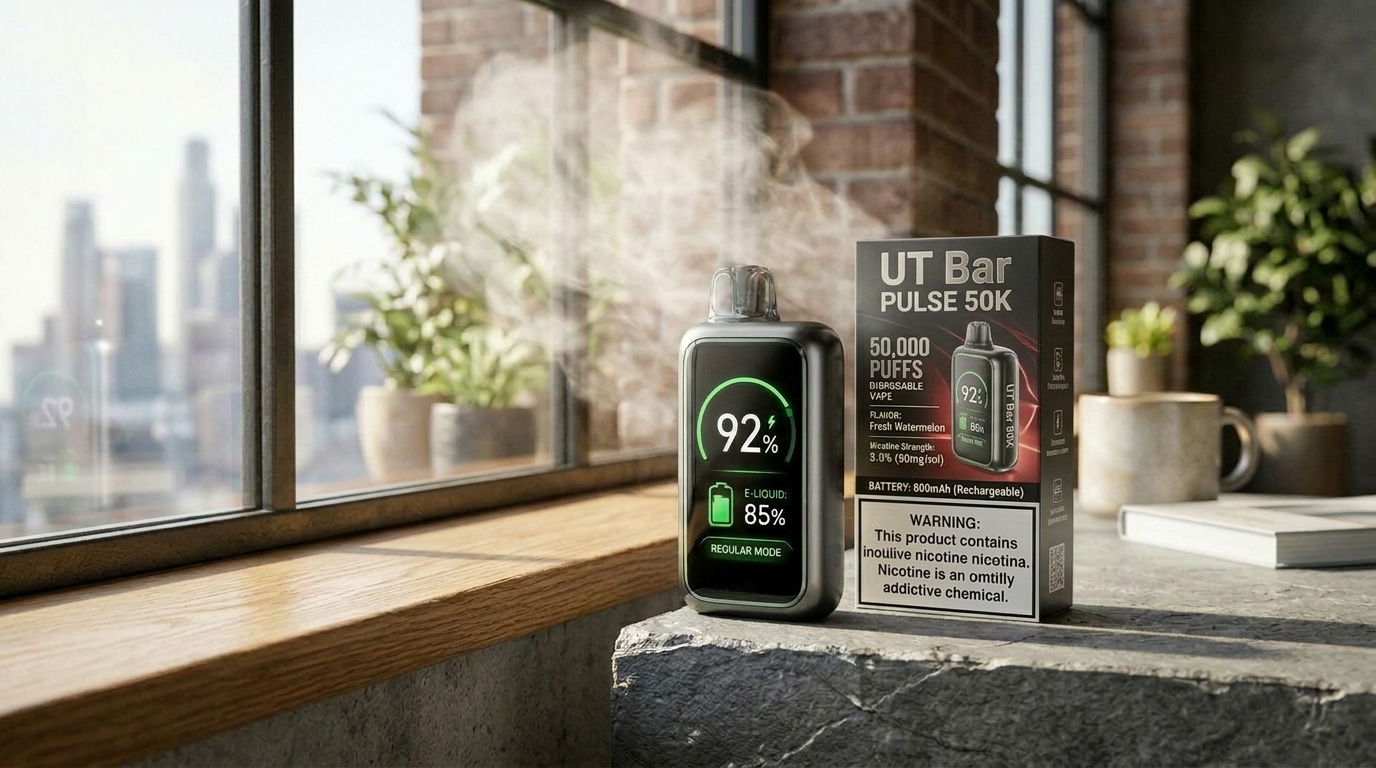
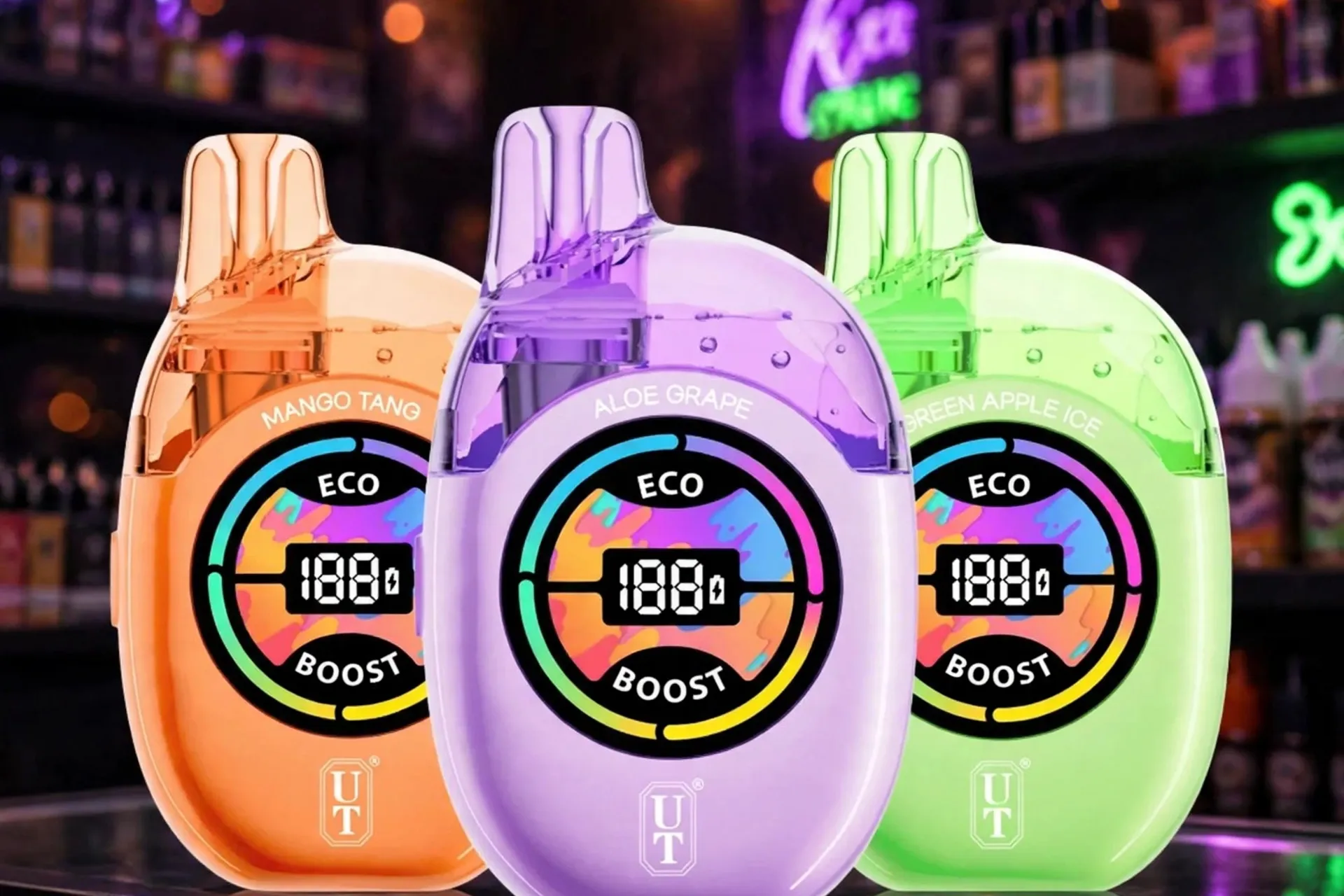
The UT Bar is not a single-flavor disposable. It is a dual-flavor disposable from Flum, with two separate tanks in one wide, flat body. Each tank holds a different flavor, with its own dual mesh coil, and you switch between them with a tap or with the top buttons, depending on the listing for your device. The screen shows the battery percentage, the level of each tank, the active tank, and the current mode, all at once.
That dual-tank design changes troubleshooting completely. A device that seems dead may have one empty tank and one full tank, a tank that is not selected, a flavor intensity set too low, a battery that is too small for Turbo Mode use, or a screen that is showing a tank problem rather than a battery problem. The fix is often in the tank selection, not in the device as a whole.
This guide covers ten problems in a mixed order, starting with leaking and not firing, then flavor switching, battery drain, weak vapor, screen errors, burnt taste, flavor fading, charging, and auto-firing. Each section gives causes, fixes, and a clear replacement rule, so you do not throw away a working device because one tank is empty, and you do not keep using a finished tank hoping for more puffs.
Read this before you touch anything else: The UT Bar is pre-filled and sealed. Never open the device, never refill a tank with your own e-liquid, never try to replace a coil on its own, and never repair the battery. When an external check fails, device replacement is the next step, not a DIY repair. Do not charge a device that is hot, swollen, cracked, leaking heavily, or smells like burning plastic.
Jump to Section
Glance: Two Tanks, Two Flavors, One Device
Eco Mode, Turbo Mode, and Flavor Switching: How the Two Tanks Work
UT Bar Problems in One Quick Look
Problem and There Fixation of UT Bar, Tank by Tank
Glance: Two Tanks, Two Flavors, One Device
| Entity / feature | What it is on the UT Bar 50K |
|---|---|
| Brand | Flum, sold as UT Bar 50K, also called Flum UT 50K or UT 50K |
| Product line | UT Bar 50K, dual-flavor disposable vape |
| Device type | Sealed pre-filled disposable with two tanks, not a pod system and not a refillable kit |
| E-liquid | 17mL total in most detailed listings, split across two tanks, 5% (50mg/mL) nicotine salt, two flavors per device |
| Puff rating | Up to 50,000 puffs in Eco Mode; up to 25,000 puffs in Turbo Mode |
| Battery | 760mAh rechargeable, USB-C charging, cable not included in most listings |
| Coil | Dual mesh coils, one per tank, built into the device; no separate coil change |
| Display | 2.01-inch HD digital screen showing battery percentage, each tank level, active tank, mode, and flavor intensity |
| Controls | Top buttons switch flavors and adjust flavor intensity across three levels in detailed listings; airflow slider adjusts the draw |
| Activation | Draw-activated, no fire button for vaping; the top buttons change flavor and intensity only |
| Draw style | Adjustable airflow, from tight to airy |
| Charging | USB-C, about 45 to 60 minutes in detailed listings |
| Build | Wide, flat body about 91 x 58 mm in detailed listings, soft squishy back panel for stress relief, PCTG plus soft-touch rubber in detailed listings |
| Safety | Do not use a device that is hot, swollen, cracked, or leaking heavily |
Puff counts are manufacturer-rated maximums. Longer draws, frequent use, and Turbo Mode all lower the real count. One review measured 38,000 to 42,000 real-world puffs, below the 50,000 maximum, which shows why the rating should be treated as a ceiling, not a promise. A puff rating also does not tell you how long one battery charge will last, especially with a 760mAh battery, which is small for this puff class.
Note on e-liquid figures: most detailed listings for the dual-flavor device give 17mL total. One listing gives 15.5mL, and another gives 18mL. This guide uses 17mL and notes the conflict, because the tank levels on the screen matter more than a single listing figure. A separate single-flavor Clear Tank version of the UT Bar is sold in some listings, with one tank instead of two. Do not apply Clear Tank specs to the dual-flavor device, and do not apply dual-flavor specs to the Clear Tank version.
Note on Turbo puff figures: most detailed listings give up to 25,000 puffs in Turbo Mode. One listing gives 30,000 puffs in Turbo Mode. This guide uses 25,000, the majority figure, and notes the conflict.
Note on flavor switching: detailed listings describe switching with a tap or with the top buttons, and some listings also describe alternating or blending the two flavors. The screen is the check that matters. If the screen shows the active tank changing, the switch works, even if the flavor change feels subtle at first. If the screen does not change, the switch did not register.
Eco Mode, Turbo Mode, and Flavor Switching: How the Two Tanks Work
Check the screen, the active tank, and the mode before you assume a fault. On the UT Bar, the active tank, the flavor intensity, the mode, and the airflow slider explain most complaints, because a device on the wrong tank, with a low intensity, in Turbo Mode, or with a closed slider can look broken when it is only set differently.
Eco Mode
Eco Mode is the lower-power, longer-life setting. It is rated up to 50,000 puffs across both tanks, gives a smoother, cooler draw, uses e-liquid and battery more slowly, and is the everyday setting for most of the device life. This is the mode to use for baseline testing when something feels wrong. If you want the longest life from the device, keep it in Eco Mode.
Turbo Mode
Turbo Mode is the higher-power setting. It gives warmer, denser vapor and a stronger flavor hit, but uses e-liquid faster and drains the 760mAh battery faster, so the rating drops to up to 25,000 puffs in most listings. Heavy Turbo use means a daily top-up is normal, and a device that needs charging every day in Turbo Mode is not necessarily faulty. The screen should show the active mode, so check the screen rather than guessing from the hit alone.
Flavor switching works separately from mode. The top buttons switch the active tank and adjust flavor intensity across three levels in detailed listings. A flavor set to a low intensity can taste weak even when the tank is full. A tank that is not selected will not produce vapor, even when the other tank works perfectly. That is why a device that works on one flavor and not on the other is usually a tank problem, not a whole-device problem.
The 2.01-inch screen shows battery percentage, each tank level, the active tank, the mode, and flavor intensity. A screen that shows a puff count or a mode is not a fault. A screen that shows a low battery, a low tank level, or a tank that will not switch is the real problem.
The airflow slider is separate from the flavor buttons and the mode. The slider changes how tight or open the draw feels. The flavor buttons change the active tank and intensity only. Changing flavor will not fix a draw that is too tight, and moving the airflow slider will not fix a tank that is empty.
UT Bar Problems in One Quick Look
| Problem | First thing to check |
|---|---|
| Leaking / gurgling / spitback | Mouthpiece condensation, draw strength, heat, damage, device age |
| Not firing | Battery level, both tank levels, active tank, mouthpiece cap, draw strength |
| Flavor will not switch / one tank not working | Active tank on screen, tank levels, flavor intensity, button press, battery |
| Fast battery drain | Turbo Mode use, draw length, charging habits, small 760mAh battery |
| Weak vapor | Battery level, mode, airflow position, flavor intensity, pauses between draws |
| Flashing / screen errors | Battery level, tank levels, mode, active tank, damage |
| Burnt taste | Tank level for the active tank, mode, chain puffing, device age |
| Flavor fading / flat taste | Tank levels, device age, mode, flavor intensity, palate fatigue |
| Not charging | USB-C cable, adapter, port, screen charging sign, damage |
| Auto-firing / getting hot | Stop using it immediately, do not charge or reuse it |
Problem and There Fixation of UT Bar, Tank by Tank
A UT Bar can stop producing vapor, fail to charge, leak, flash, or taste burnt when the battery, a tank level, a coil in a tank, the active tank, the mode, the flavor intensity, or the screen has a problem. Basic checks can help identify the cause before a replacement is needed.
Basic check, do this first for any problem below, unless that section tells you to stop for safety: Read the 2.01-inch screen for battery percentage, both tank levels, active tank, mode, and flavor intensity, set the device to Eco Mode for baseline testing, set the airflow slider to the middle, switch to the tank with the higher level for a test, set flavor intensity to the middle level, remove any mouthpiece cap or plug on a new device, and make sure the device is fully charged, about 45 to 60 minutes on a USB-C cable. If both tank levels show near empty, or the taste is burnt after a full charge, that device is finished. A tank test, switching to the other tank, is a useful fault check, because one tank can be finished while the other still works.
HorizonTech’s 100K is a single big sealed tank, not a dual-flavor two-tank device like this one, so its tank and screen checks read differently. Its fixes are covered in HorizonTech 100K Not Working.
1. Why Is the UT Bar Leaking or Gurgling?
Leaking on the UT Bar usually means condensation in the mouthpiece, a hard draw pulling liquid into the airway, heat thinning the liquid, or a damaged device, not a refill problem, because this device cannot be refilled. Small amounts of condensation are common in a high-capacity disposable, and they are handled differently from a heavy leak.
Common Causes
- Condensation building up in the mouthpiece after many draws, which can gurgle or spit small drops.
- Hard, fast draws pulling e-liquid into the airway instead of vapor.
- Heat from a pocket, a car, or direct sun thinning the liquid and pushing it toward the mouthpiece.
- A device stored upside down or on its side for a long time, letting liquid settle in the airway.
- A cracked body or a damaged mouthpiece letting liquid escape.
- A device near the end of its life, with a coil that no longer vaporizes cleanly.
How to Fix
Do the basic check first.
Wipe the mouthpiece with a dry tissue and flick it gently downward, away from your face. This clears condensation without opening the device. Do not blow hard into the mouthpiece, and do not poke inside it with metal tools.
Take shorter, steadier draws. Long, hard draws pull liquid up. Short draws with pauses between them give the dual mesh coils time to vaporize evenly.
Set the device to Eco Mode and keep the airflow slider in the middle for a test. A lower mode and a middle slider reduce the pull on the liquid and show whether the leak was draw-related.
Move the device to a cool, upright place. Heat and sideways storage make leaking worse. Keep it upright and away from sun and hot cars.
Check the body and mouthpiece for cracks or splits, and check both tank levels on the screen. A crack is not a condensation problem. See the replacement rule below.
When to Replace
Replace the device if leaking continues after wiping the mouthpiece, shorter draws, an Eco Mode test, and cool upright storage, or if liquid is pooling, the body is cracked, or the mouthpiece is split. A device with a heavy leak should not be charged or reused.
2. Why Is the UT Bar Not Firing?
Not firing on the UT Bar often means the battery is flat, both tanks are finished, the active tank is empty, the mouthpiece is still capped, the draw is too light for the sensor, or the airflow slider is closed, not that the flavor buttons are broken, because the flavor buttons do not fire the device.
Common Causes
- A flat battery, with no power left for the coils.
- Both tanks finished, with nothing left to vaporize.
- The active tank finished, while the other tank still has liquid, which looks like a dead device until you switch tanks.
- A mouthpiece cap or plug still in place on a new device, blocking the draw.
- A very light draw that does not trigger the draw sensor.
- An airflow slider closed too far, choking the draw sensor.
- Condensation in the mouthpiece weakening the draw signal.
- Damage from a drop, breaking the sensor or the airway.
How to Fix
Do the basic check first.
Switch to the other tank and test again. If the other tank fires and the first tank does not, the first tank is finished or faulty, not the whole device. Check both tank levels on the screen before any other test.
Remove any cap or plug from the mouthpiece and check the airway. A new device can look dead with the plug still in place.
Take a firm, steady draw for 2 to 3 seconds, with the slider in the middle. A short, light puff may not trigger the sensor. Do not inhale as hard as you can, which can pull liquid into the airway.
Wipe the mouthpiece and check the inlets for lint or residue. Do not poke inside the device with metal tools.
Charge the device fully, then test again in Eco Mode on both tanks. If neither tank fires with a full battery, good tank levels, an open slider, and a firm draw, the sensor or coils are the likely cause.
When to Replace
Replace the device if neither tank fires after the basic check, switching tanks, removing the cap, a firm draw with the slider in the middle, clearing the mouthpiece, and a full charge, or if both tank levels show near empty. A sealed device with a dead sensor or coils is not repaired at home.
3. Why Will the UT Bar Flavor Not Switch, or Why Is One Tank Not Working?
Flavor switching failure on the UT Bar usually means the selected tank is empty, the switch did not register, the flavor intensity is too low to notice, the battery is too low to switch cleanly, or one tank is finished while the other still works. This is the problem that is unique to this device, and it is often mistaken for a dead device.
Common Causes
- The active tank is empty, so switching to it gives no vapor, even though the other tank works.
- A button press that was too light, too short, or blocked by a case or pocket, so the switch did not register.
- Flavor intensity set to the lowest level, making the new flavor taste too weak to notice.
- A low battery, which can make screen changes and tank switching slow or unreliable.
- Condensation or residue near the top buttons, making presses register twice or not at all.
- Damage from a drop, breaking a button or a tank connection.
How to Fix
Do the basic check first.
Read the screen before and after a switch press. If the active tank indicator changes, the switch works. If it does not change, press again with a firm, clear tap, and watch the screen, not just the flavor.
Check both tank levels. If the tank you switched to shows near empty, switch back to the fuller tank. A device that works on one tank and not on the other is a tank problem, not a whole-device problem.
Set flavor intensity to the middle level for a test. A low intensity can make a working tank taste like nothing. A middle level gives a fair comparison between tanks.
Charge the device fully, then test switching again. A low battery can make switching unreliable, and a full charge clears that cause.
Wipe the top button area with a dry tissue. Do not use water or cleaning sprays, and do not press the buttons repeatedly in a row.
When to Replace
Replace the device if neither tank switches after a full charge, a firm switch press, a middle intensity test, and checking both tank levels, or if both tank levels show near empty. If one tank works and the other does not, use the working tank until it is finished, then replace the whole device, because tanks cannot be swapped on their own.
4. Why Is the UT Bar Battery Draining Quickly?
Fast drain on the UT Bar is often Turbo Mode doing exactly what it is rated to do, on a battery that is small for this puff class. Turbo Mode uses more power per puff, and the battery is only 760mAh, so a device used mostly in Turbo Mode will need charging far more often than a device with a larger battery.
Common Causes
- Turbo Mode use for most of the day, which drains power faster than Eco Mode.
- Long draws and frequent sessions, which drain any battery faster than short, spaced draws.
- A device left in Turbo Mode after a mode change, with no switch back to Eco Mode.
- Charging with a weak cable or adapter, so the device never reaches a full charge.
- An aging device, where the battery holds less charge than it did at the start.
- Switching tanks often, which keeps the screen active and uses more power.
How to Fix
Do the basic check first.
Drop to Eco Mode for a full charge cycle. This is the fairest drain test. If battery life improves sharply in Eco Mode, the mode was the cause, not a fault.
Take shorter draws with pauses. Chain puffing drains power and heats the coils. Pauses between draws give more consistent battery life.
Charge with a known good USB-C cable and adapter, until the screen shows full. A loose cable or a low-power adapter can leave the battery part-charged, which looks like fast drain. A cable is not included in most listings, so a cable from another device is normal to use.
Avoid leaving the device in a hot place. Heat reduces usable battery life and can make the screen readings less reliable.
Plan for a daily top-up in Turbo Mode. One review notes that heavy Turbo use means a daily top-up, and that is normal for a 760mAh battery, not a fault on its own.
When to Replace
Replace the device if drain comes with near-empty tank levels, a burnt taste, or a battery that dies soon after a full charge in Eco Mode with a good cable and adapter. A battery problem on a sealed device is not repaired at home.
5. Why Is the Vapor Weak on the UT Bar?
Weak vapor on the UT Bar often means the battery, mode, flavor intensity, or airflow slider is working against you, not that the dual mesh coils have failed. Start with the screen, the active tank, and the mode, because those checks settle most weak-hit cases in seconds.
Common Causes
- A low battery, giving thin vapor even when liquid is left.
- Eco Mode, which is intentionally lighter than Turbo Mode, especially if a Turbo hit was expected.
- Flavor intensity set too low, making a working tank taste weak.
- The active tank runs low, so the coil has less to vaporize on each draw.
- Draws taken back to back, with no time for the coils to recover.
- Blocked inlets or condensation in the mouthpiece, weakening the draw sensor signal.
- An airflow slider set too tight, choking the draw and making vapor feel weak.
How to Fix
Do the basic check first.
Try one draw in Turbo Mode for comparison. If vapor jumps up sharply in Turbo Mode, Eco Mode was the cause, not the fault. Return to Eco Mode for normal use if you want the device to last.
Set flavor intensity to the middle level, then try the other tank. If the other tank gives strong vapor and the first tank gives weak vapor on the same charged device, the first tank is at the end of its life.
Set the airflow slider to the middle, then open it a step. A slider set too tight can make a normal hit feel weak. Open it gradually until the draw feels natural.
Take shorter, steadier draws with pauses. Long, hard draws drain power and dry the coils. Short draws with gaps between them give more consistent vapor.
Clear the mouthpiece gently. Wipe the mouthpiece with a dry tissue and check the inlets for lint or residue. Do not poke inside the device with metal tools.
When to Replace
Replace the device if vapor stays weak after the basic check, a Turbo comparison, a middle intensity test, switching tanks, opening the slider, pauses between draws, clearing the mouthpiece, and a full charge, or if both tank levels show near empty. A sealed device with worn coils is not repaired at home.
6. Why Is the UT Bar Flashing or Showing Screen Errors?
Flashing, a blank screen, or a confusing tank reading on the UT Bar usually means the screen is reporting a low battery, a low tank level, a mode change, or a fault, not that the lights are broken. Read the screen first, because the screen text matters more than any light alone.
Common Causes
- A low battery, which can make the screen flash or go dark on a draw.
- A low tank level for the active tank, which can trigger a warning flash.
- A flavor switch or mode change, which changes the screen reading and can look like an error if you did not notice the button press.
- A loose USB-C connection during charging, making the screen flicker between charging and not charging.
- Condensation or residue near the top buttons, making presses register twice.
- Damage from a drop, which can break the screen or a button even when the body looks intact.
How to Fix
Do the basic check first.
Read the screen during a draw, not just at rest. Note the battery percentage, both tank levels, active tank, mode, and flavor intensity. A flashing device with a low battery reading is a charging problem, covered in Section 9.
Switch tanks once and watch the screen. If the active tank indicator changes and the new tank level shows, the screen is working and the reading was a tank change, not a fault. Switch back to the fuller tank for baseline testing.
Charge the device fully with a known good cable, then test again. Many screen errors clear on a full charge. If the screen stays blank after a full charge, see the replacement rule below.
Wipe the screen and button area with a dry tissue. Do not use water or cleaning sprays, and do not press the buttons repeatedly in a row.
Check for drop damage. A cracked screen, a dent near the buttons, or a loose mouthpiece after a fall points to physical damage, not a setting.
When to Replace
Replace the device if the screen stays blank after a full charge, if flashing continues with a full battery and good tank levels, or if the screen or buttons are cracked or damaged. Do not keep using a device whose screen cannot show the battery or tank levels.
If the device keeps flashing, getting hot, or showing tank errors after the basic checks, stop using it and check official information on what e-cigarettes are and how they work before you keep troubleshooting. The CDC page about e-cigarettes explains the devices, nicotine, and aerosol in plain terms.
7. Why Does the UT Bar Taste Burnt?
Burnt taste on the UT Bar usually means the active tank is finished, the coil in that tank is dry, the mode is too high for the remaining liquid, or draws are taken too fast for the coil to stay wet. A burnt taste in one tank does not mean the other tank is burnt, so always test the other tank before replacing the device.
Common Causes
- A near-empty level in the active tank, so the coil heats with little liquid left.
- Chain puffing, which dries the coil between draws.
- Turbo Mode on a tank that is already low on liquid, which heats the coil harder.
- A device stored in heat, which can dry the coil and change the taste.
- An aging device near the end of its rated life, where the coil is worn.
How to Fix
Do the basic check first.
Switch to the other tank and test. If the other tank tastes clean and the first tank tastes burnt, the first tank is finished. Use the clean tank and do not keep drawing on the burnt tank.
Drop to Eco Mode and take a short draw after a pause. If the burnt taste eases in Eco Mode, the mode was too high for the remaining liquid. If it stays burnt in Eco Mode, the tank is likely finished.
Check the screen tank levels before any other test. A near-empty reading for the active tank means that tank is finished, even if the battery is full.
Pause between draws for at least 30 seconds. This gives the coil time to stay wet. Do not chain puff a tank that already tastes burnt.
Do not try to refill a tank or add liquid to the mouthpiece. This device is sealed, and adding liquid will not fix a dry coil.
When to Replace
Replace the device if both tanks taste burnt after an Eco Mode test, switching tanks, pauses between draws, a cool rest, and a full charge, or if both tank levels show near empty. A burnt taste that does not clear is a finished device, not a setting problem.
8. Why Does the UT Bar Flavor Fade or Taste Flat?
Flavor fading on the UT Bar usually means a tank is running low, the device has been used heavily in Turbo Mode, the coil is aging, the flavor intensity is too low, or your palate is tired, not that the flavor itself changed. The dual mesh coils are built to keep flavor consistent, but they cannot create flavor from an empty tank.
Common Causes
- A low level in the active tank, so each draw carries less flavor.
- Long use in Turbo Mode, which uses e-liquid faster and wears the coil faster.
- Flavor intensity set too low, making a working tank taste flat.
- Chain puffing, which heats the coil and dulls flavor for a short time.
- Palate fatigue from the same flavor all day, which makes a normal hit taste flat.
- A device stored in heat, which can change how the flavor tastes.
- An aging device near the end of its rated life, where the coil no longer performs as it did at the start.
How to Fix
Do the basic check first.
Switch tanks and compare flavors. If the other tank tastes strong and the first tank tastes flat on the same mode and intensity, the first tank is at the end of its life.
Set flavor intensity to the middle level and take a few short draws with pauses. A lower intensity and heat can both dull flavor, and a middle level with a rest can show whether the fade was setting-related.
Check both screen tank levels, not just the puff count. A high puff count does not mean liquid is left, because Turbo Mode uses liquid faster. A near-empty reading means that tank is finished.
Drink water and take a break from the flavor for a short time. Palate fatigue is common with one flavor all day, and a break often restores the taste.
Move the device to a cool place and keep it upright. Heat can dull flavor and push liquid into the airway, which also dulls the taste.
When to Replace
Replace the device if flavor stays flat after a full charge, a middle intensity test, switching tanks, pauses between draws, and a cool upright rest, or if both tank levels show near empty. Do not keep using a device that tastes flat and burnt, because that is a sign the supply is finished.
9. Why Is the UT Bar Not Charging?
Not charging on the UT Bar usually means the cable, adapter, port, or battery is at fault, not the screen. The screen should show a charging sign on a healthy device, so a screen that stays dark during charging is itself a clue.
Common Causes
- A loose, damaged, or low-power USB-C cable that cannot deliver a full charge.
- A weak adapter, such as a low-power computer port, that charges very slowly, even though the battery is only 760mAh.
- Lint or residue in the USB-C port, blocking the connection.
- A device that is too hot or too cold to accept a charge safely.
- A battery at the end of its life, which will not hold a charge.
- Damage to the port from a drop or from forcing a cable in at an angle.
How to Fix
Do the basic check first, except for the full charge step, which is the problem here.
Try a known good USB-C cable and a known good wall adapter. Test the same cable and adapter on another device if you can, so you know they work. A cable is not included in most listings, so a cable from another device is normal to use.
Check the port for lint or residue and clear it gently with a dry, soft brush. Do not use metal tools inside the port, and do not force the cable.
Plug the device in and watch the screen for a charging sign. Test first without drawing, so you can see whether the battery percentage rises.
Move the device to room temperature and charge it upright. A device that is very hot or very cold may not charge until it returns to a normal temperature.
Charge for a full cycle, about 45 to 60 minutes, and check the screen reading again. If the battery percentage does not rise at all, the port or battery is the likely cause.
When to Replace
Replace the device if it will not charge with a known good cable and adapter, after clearing the port, at room temperature, for a full charge cycle, or if the port is cracked or loose. A sealed device with a dead battery or port is not repaired at home.
10. Why Is the UT Bar Auto-Firing or Getting Hot?
Auto-firing means the device produces vapor without a draw, or it stays hot after you stop drawing. Stop using it at once. This is the one problem in this guide where no basic check comes first, because charging or continuing to use a hot device can make it worse.
Common Causes
- A stuck draw sensor, triggered by condensation, residue, or liquid in the airway.
- A damaged top button or screen area after a drop, causing false signals.
- Heat from a pocket, a car, or direct sun, making the device feel hot and behave badly.
- A battery fault inside the sealed device, which cannot be fixed at home.
- Liquid leaking into the sensor area, keeping the sensor triggered.
How to Fix
Stop drawing and put the device down on a cool, non-flammable surface, away from bedding and paper.
Do not charge it, do not press the buttons repeatedly, and do not try to open it.
Let it cool fully in a safe place, away from heat and sun. Do not put it in water or in a freezer.
Once it is cool, check for damage, leaking, swelling, or a burning smell. Any of those signs means the device is finished.
Do not test it again if it fired on its own, swelled, cracked, or smells burnt. A single auto-fire event is enough to retire the device.
When to Replace
Replace the device straight away if it auto-fired, stayed hot after a draw, swelled, cracked, leaked heavily, or smells like burning plastic. Do not reuse it, do not charge it, and recycle it as a battery device where your local rules allow, not in household trash.
FAQS (FREQUENTLY ASKED QUESTIONS)
Why is the UT Bar not working?
Check the screen first for battery percentage, both tank levels, active tank, and mode, then run the basic check in this guide: Eco Mode, airflow slider in the middle, switch to the fuller tank, middle flavor intensity, mouthpiece cap removed, and a full charge. Most non-working devices are flat, finished on the active tank, capped, or set to a tank that is empty. If neither tank fires after that check, it is likely finished.
Why is one flavor on the UT Bar not working, while the other flavor works?
That usually means the non-working tank is empty or finished, while the other tank still has liquid. Check both tank levels on the screen, switch to the working tank, and use it until it is finished. Tanks cannot be swapped or refilled on their own, so when the second tank is finished, the whole device is replaced.
How do you switch flavors on the UT Bar?
Switch with a tap or with the top buttons, as described for your device, and watch the screen for the active tank indicator to change. Set flavor intensity to the middle level for a fair test, because a low intensity can make a switch hard to notice. If the screen does not change, press again with a firm, clear tap after a full charge.
Can you blend both flavors on the UT Bar?
Some listings describe alternating or blending the two flavors, while most detailed listings focus on switching between tanks. The screen is the check that matters. If your device shows a combined or alternating setting, use that setting as shown. If it only shows one active tank at a time, switching tanks is the method to use, and blending is not a setting on that device.
What is the difference between Eco Mode and Turbo Mode on the UT Bar?
Eco Mode is rated up to 50,000 puffs across both tanks, gives a smoother, cooler draw, and uses battery and liquid more slowly. Turbo Mode gives warmer, denser vapor and a stronger flavor hit, but is rated up to 25,000 puffs in most listings and drains the 760mAh battery faster, so a daily top-up in Turbo Mode is normal.
Why does a UT Bar not reach 50,000 puffs?
The 50,000 puff rating applies only to Eco Mode, with normal draws, and it is a maximum, not a promise. Turbo Mode is rated lower, long draws and frequent use use liquid faster, and one review measured 38,000 to 42,000 real-world puffs. A device used mostly in Turbo Mode will finish well before 50,000 puffs, and that is normal for the rating, not a fault.
How long does it take to charge a UT Bar?
Detailed listings give about 45 to 60 minutes for a full charge on USB-C. Charge until the screen shows full, and use a known good cable and adapter if charging seems slow. A cable is not included in most listings.
Can you refill a UT Bar tank?
No. Both tanks are pre-filled and sealed. Do not open the device and do not add your own e-liquid to either tank. When both tank levels are near empty or the taste turns burnt, replace the whole device and recycle it as a battery device where local rules allow.
Can you replace the coil on a UT Bar?
No. The dual mesh coils, one per tank, are built into the sealed device and cannot be changed on their own. When a coil is worn, the vapor is weak, or the taste is burnt after a full charge and an Eco Mode test, the whole device is replaced.
How should you store a UT Bar?
Store it upright, in a cool, dry place, away from sun, heat, and pockets where the top buttons or airflow slider can be pressed by accident. Do not store it in a hot car, do not leave it on a charger overnight, and do not use it if it is swollen, cracked, leaking heavily, or smells burnt. Keep it out of reach of children, and note that this product is for adults 21 and older in the US.