
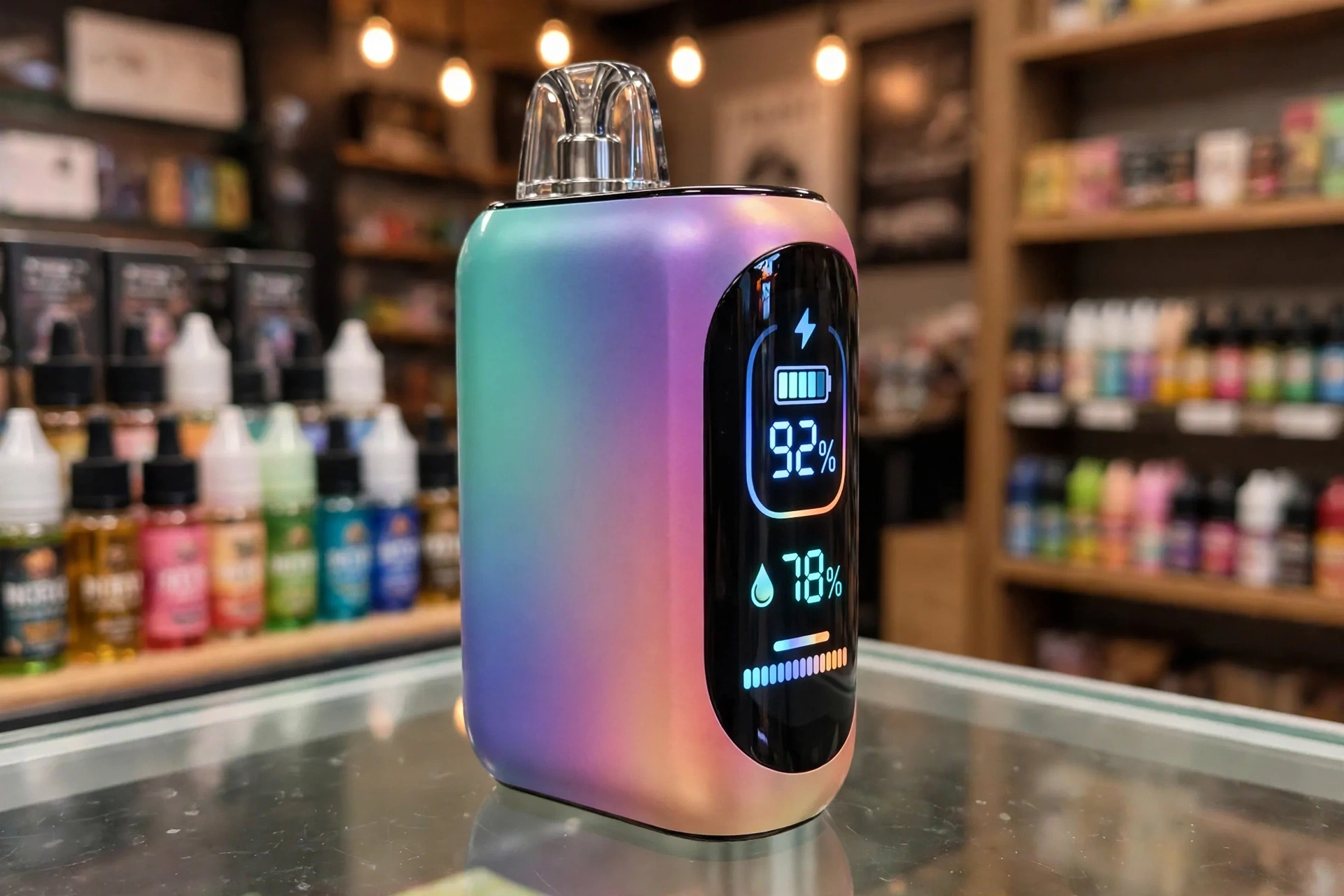
Geek Bar Pulse X Not Working: Every Problem Explained and Fixed
The Geek Bar Pulse X is one of the most popular disposable vapes in the United States, loved for its 25,000 puff rating, wraparound light show, and the curved smart display that shows battery and e-liquid levels at a glance. For most users, it delivers smooth draws and bold flavor from the first puff to the last.
But like any electronic device, problems can happen. Maybe your Geek Bar Pulse X is not hitting, it refuses to charge, the light keeps blinking, the flavor tastes burnt, or it starts firing on its own. The good news is that most of these issues are minor and easy to fix at home, usually by charging correctly, clearing the airflow, or recognizing when the device has simply reached the end of its life.
In this guide, we cover every common Geek Bar Pulse X problem, including:
- Device not hitting or producing no vapor
- Device not charging
- Blinking LED light and what each blink pattern means
- Screen works but no vapor comes out
- Burnt or harsh taste
- Weak flavor or low vapor production
- Leaking or gurgling and spitback
- Auto firing, when the device hits by itself
- Device overheating
- Switch stuck or device will not turn on
For each problem, you will find a clear explanation of why it happens and step-by-step fixes to get your device working again. By the end, you will know exactly how to troubleshoot your Geek Bar Pulse X, how to tell when it is finished, and when it is time to replace it.
Geek Bar Pulse X at a Glance
Before troubleshooting, it helps to know what you are working with. The Pulse X is the upgraded version of the original Geek Bar Pulse, with more e-liquid, a bigger battery, and a new visual design. Here are the key specs:
- Puff rating: up to 25,000 puffs in Regular Mode, up to 15,000 puffs in Pulse Mode
- E-liquid capacity: 18 ml of 5 percent (50 mg) nicotine salt e-liquid
- Battery: 820 mAh rechargeable via USB-C
- Coils: dual mesh coil system
- Modes: Regular Mode for smooth, efficient vaping and Pulse Mode for stronger flavor and denser vapor
- Display: 3D curved screen showing battery level, e-liquid level, and current mode
- Extras: wraparound LED light show, adjustable airflow, and a mode switch at the bottom of the device
The Pulse X sits in the middle of the Geek Bar family. The original Pulse offers fewer puffs, while the newer Pulse 2 and Pulse X2 build on the same platform with refreshed designs. Troubleshooting steps in this guide apply to all of them, since they share the same core technology.
1. Geek Bar Pulse X Not Hitting (No Vapor on Inhale)
The most reported issue is a Geek Bar Pulse X not hitting: you inhale and nothing happens, or only a tiny wisp of vapor appears. This can feel frustrating, especially with a brand new device, but in most cases the cause is simple.
Common Causes
- The mode switch is in the off position. The Pulse X has a switch at the bottom that controls power and mode. If it sits in the Close or off position, the device will not activate at all.
- The mouthpiece plug was never removed. New devices ship with a small silicone plug in the mouthpiece to keep dust out. If it is still in place, no air can flow and the sensor will never trigger.
- Dead or very low battery. A drained 820 mAh battery cannot power the coils. The screen may still light up briefly even when the battery is too low to produce vapor.
- Blocked airflow. Dust, pocket lint, or e-liquid residue in the airflow inlets or mouthpiece can choke the draw sensor.
- Stuck draw sensor. The auto-draw sensor that detects your inhale can occasionally stick, especially after the device has been sitting unused.
- Empty e-liquid tank. If the device worked fine for days or weeks and gradually stopped hitting, the 18 ml tank is probably empty.
Step-by-Step Fixes
1. Check the bottom switch
Look at the base of the device and make sure the switch is moved to an active mode, either Regular or Pulse. If it is in the Close position, slide it over and try again.
2. Remove the mouthpiece plug
If the device is brand new, pull the small silicone stopper out of the mouthpiece. This is the single most common reason a fresh Pulse X does not hit.
3. Charge the battery fully
Connect the device to a USB-C cable and a wall adapter. A full charge takes roughly 45 to 60 minutes. Watch the battery meter on the display fill up, then try a slow, steady draw.
4. Clear the airflow
Check the airflow holes at the bottom and sides of the device. Wipe away lint or residue with a dry cloth or cotton swab, and gently blow through the mouthpiece to clear the air path. Never poke sharp objects inside.
5. Wake up the sensor
Take a slightly firmer, slower draw of about 3 to 4 seconds. If the sensor seems stuck, a gentle tap of the device against your palm can help free it.
6. Check the e-liquid meter
Look at the e-liquid level on the curved display. If the meter is at or near empty, the device has done its job and it is time for a replacement. No fix will bring back an empty tank.
When to Replace the Device
If the switch is on, the battery is fully charged, the airflow is clear, and the tank still shows liquid, yet the device stays silent, the draw sensor or internal wiring has likely failed. Contact the retailer about a defective unit and replace the device.
2. Geek Bar Pulse X Not Charging
When your Geek Bar Pulse X is not charging, the battery meter does not move or the charging indicator never appears after you plug it in. Since the whole point of the rechargeable 820 mAh battery is to let you use all 18 ml of e-liquid, a charging problem can cut the device’s life short.
Common Causes
- Faulty or low quality cable. Damaged or cheap USB-C cables often fail to deliver a stable charge.
- Weak power source. Laptop USB ports, car chargers, and old adapters may not supply enough consistent power.
- Dirty charging port. Pocket lint and e-liquid residue collect in the USB-C port and block the connection.
- Overheated device. For safety, the device may refuse to charge while it is hot.
- Internal battery failure. In rare cases, the charging circuit or battery itself has failed.
Step-by-Step Fixes
1. Swap the cable and adapter
Try a different, good quality USB-C cable and plug into a wall adapter instead of a laptop or power bank. A standard 5V wall adapter works best. Avoid using high wattage phone fast chargers.
2. Clean the USB-C port
Inspect the charging port for lint or sticky residue. Gently remove debris with a dry toothpick or cotton swab. Never use liquids or metal tools inside the port.
3. Watch for the charging indicator
When charging starts correctly, the display shows the battery meter filling or a charging animation. If you see nothing after a minute, unplug and try a different outlet.
4. Let a hot device cool down
If the Pulse X feels warm, unplug it and let it rest for 10 to 15 minutes before trying again. Charging a hot device can trigger its safety cutoff.
5. Give it a full session
A complete charge takes about 45 to 60 minutes. If the device stops hitting right after charging, the issue is usually not the battery but airflow or an empty tank, so work through the not hitting fixes above.
When to Replace the Device
If multiple cables, adapters, and outlets all fail to start a charge and the port is clean, the internal battery or charging circuit has failed. Do not try to open the device. Replace it.
3. Geek Bar Pulse X Blinking (LED Light Codes Explained)
A blinking light on the Geek Bar Pulse X is the device’s way of talking to you. Each pattern means something different, so learning the codes saves a lot of guesswork.
What Each Blink Pattern Means
- Blinking red light: low battery or a possible malfunction such as overheating or a short circuit. Charge the device first.
- Solid red light: the device is currently charging.
- Solid green light: the battery is fully charged and the device is ready.
- Blinking green light: a possible connection issue. Check that nothing is blocking the internal contacts and that the device is not overheating.
- Blinking blue light: activation timeout. The device has been idle and entered standby. Take a normal draw to wake it up.
- Blinking while charging: usually a dirty port, loose cable, or overheating. Clean the port, change the cable, and let the device cool.
Step-by-Step Fixes
1. Charge it
Low battery is the most common cause of blinking. Plug in with a good USB-C cable and wall adapter and let it charge fully.
2. Reset the device
Use the bottom switch to turn the device off completely, wait about 30 seconds, then switch it back on. This clears minor sensor glitches that cause false blinking.
3. Clear the airflow
Blocked vents can trigger blinking as a warning. Clean the airflow holes and mouthpiece as described in the not hitting section.
4. Cool it down
If the device feels warm and blinks, set it aside for a few minutes away from heat and sunlight before using it again.
5. Try a gentle tap
Some users find that lightly tapping the device on a soft surface helps realign a stuck sensor. Be gentle. Never slam or throw the device.
When to Replace the Device
If the Pulse X keeps blinking after a full charge, a reset, and cleaning, especially a red blink with no vapor, the battery or circuit board is likely damaged. Stop using it and replace the device.
4. Screen Works but No Vapor
This one confuses a lot of people: the Geek Bar Pulse X screen lights up, the display looks fine, but no vapor comes out. A working screen tells you the battery and main electronics are alive, so the problem sits in the air path or the coil.
Common Causes
- Blocked mouthpiece or airflow. The sensor cannot detect your draw if air cannot move.
- Dry or resting wick. The cotton around the coil needs a moment to re soak with e-liquid, especially after heavy use.
- Wrong mode expectations. Regular Mode produces a softer, lighter draw than Pulse Mode. What feels like no vapor may just be the gentler mode.
- Cold device. A vape left in a cold car or room can produce very little vapor until it warms up.
- Nearly empty tank. The screen can work perfectly while the e-liquid runs out.
Step-by-Step Fixes
1. Clear the mouthpiece
Wipe the mouthpiece inside and out, and blow gently through it to clear any blockage.
2. Let the wick rest
Set the device upright for 10 minutes so e-liquid can re saturate the coil, then try a slow 4 second draw.
3. Switch to Pulse Mode
Use the bottom switch to change to Pulse Mode, which fires both mesh coils for stronger vapor. If vapor returns, the device was fine all along.
4. Warm it in your hands
Hold the device for a few minutes to bring it to room temperature before drawing.
5. Check the e-liquid meter
If the tank reads empty on the display, the screen is telling the truth. Time for a new device.
When to Replace the Device
A lit screen with a full tank and clear airflow that still produces nothing points to a dead coil or failed sensor. Replace the device.
5. Burnt or Harsh Taste
A burnt taste from the Geek Bar Pulse X is harsh, acrid, and unpleasant. Unlike weak flavor, which can sometimes be fixed, a truly burnt coil is permanent damage.
Common Causes
- Empty or nearly empty tank. When e-liquid runs out, the cotton wick dries and the coil burns it instead of vaporizing liquid.
- Chain vaping. Taking puff after puff without pause does not give the wick time to re soak, causing dry hits even in a half full device.
- Worn out coil. After thousands of puffs, the dual mesh coils degrade and start scorching.
- Heavy Pulse Mode use. Pulse Mode fires both coils harder, which wears them faster and dries the wick quicker.
- Low battery. A weak battery can heat the coil unevenly, producing harsh, off tasting vapor.
Step-by-Step Fixes
1. Check the e-liquid level
Look at the tank meter on the display. If it is empty or nearly empty, stop using the device. Vaping a dry device only tastes worse and is unpleasant.
2. Slow down your puffs
Wait at least 15 to 20 seconds between draws so the wick can re saturate. Take slower, steadier puffs instead of hard, fast ones.
3. Let the device rest
If the burnt taste just started, set the Pulse X upright for 10 to 15 minutes. Sometimes the wick just needs time to catch up.
4. Switch to Regular Mode
Regular Mode is gentler on the coils and can extend the usable life of a device that is starting to taste harsh in Pulse Mode.
5. Charge the battery
A full charge ensures even heating. Top up the battery and see if the harshness fades.
When to Replace the Device
If the burnt taste persists after resting, slowing down, and charging, the coil and wick are permanently scorched. Burnt means replace. No cleaning or waiting will fix a burnt coil in a disposable.
6. Weak Flavor or Low Vapor Production
When your Geek Bar Pulse X has weak flavor or thin vapor, the device still works but the experience feels flat. This usually creeps in gradually after days of use.
Common Causes
- Aging coil. Mesh coils lose efficiency after thousands of puffs, muting flavor.
- Low e-liquid. A nearly empty tank cannot keep the wick fully saturated.
- Chain vaping. The wick cannot keep up with rapid puffing.
- Low battery. Reduced power means reduced vapor, even before the device dies completely.
- Blocked airflow. Restricted air makes vapor feel thin and weak.
Step-by-Step Fixes
1. Check the tank meter
If e-liquid is low, weak flavor is the device telling you it is almost done.
2. Pace your puffs
Leave 15 to 20 seconds between draws and take slow, steady inhales.
3. Try Pulse Mode
Pulse Mode fires both coils for denser vapor and stronger flavor. It uses e-liquid faster, but it can revive a device that feels weak in Regular Mode.
4. Charge fully and clear airflow
Top up the battery and clean the airflow inlets. Both directly affect vapor density.
When to Replace the Device
If flavor stays muted after charging, resting, and switching modes, the coils are simply worn out. Flavor will not come back. Replace the device.
7. Leaking or Gurgling (Spitback)
Finding e-liquid on your hands or hearing a gurgling sound from the Geek Bar Pulse X is messy but rarely serious. It usually means too much liquid has reached the coil chamber.
Common Causes
- Drawing too hard. Sharp, forceful puffs pull excess e-liquid into the coil, causing flooding, gurgling, and spitback of hot droplets.
- Condensation buildup. Normal vapor condensation collects in the mouthpiece over time.
- Heat exposure. Leaving the device in a hot car or direct sun thins the e-liquid, making leaks more likely.
- Storing upside down. Gravity pulls liquid toward the mouthpiece and airflow paths.
- Damaged seals. A drop or manufacturing defect can break internal seals.
Step-by-Step Fixes
1. Change your draw technique
Use slow, gentle draws instead of hard pulls. This is the number one fix for gurgling.
2. Clear the mouthpiece
Remove the device from your mouth and blow gently through the mouthpiece into a tissue to push excess liquid out of the air path. Then wipe the mouthpiece clean.
3. Store it upright
Keep the Pulse X standing upright, mouthpiece up, especially overnight.
4. Keep it cool
Store the device at room temperature, away from cars, windows, and heaters.
5. Flick it gently
Hold the device with the mouthpiece pointing down and give it one or two gentle downward flicks over a tissue to shake trapped liquid out of the chimney.
When to Replace the Device
Light condensation is normal. Constant leaking, especially e-liquid seeping from the body seams, means failed seals. Wipe it down, and if it keeps leaking, replace it and wash your hands after handling, since e-liquid contains nicotine.
8. Geek Bar Pulse X Auto Firing (Hitting by Itself)
Auto firing means the Pulse X produces vapor on its own without you drawing on it. This is the one problem you should treat with extra caution, because an unattended firing device can overheat.
Common Causes
- Stuck draw sensor. The auto-draw sensor is the most common culprit. E-liquid or debris can keep it triggered.
- Pressure change. Rapid altitude or temperature changes can confuse the air pressure sensor.
- Overcharging or deep discharge. Leaving the device plugged in overnight or sitting at zero percent for days can destabilize the electronics.
- Worn or damaged coil. A coil at the end of its life can behave erratically.
Step-by-Step Fixes
1. Turn it off immediately
Use the bottom switch to move the device to the Close or off position right away. This stops the firing.
2. Blow through the mouthpiece
With the device off, blow gently into the mouthpiece. This can unstick a draw sensor that is held open by liquid or pressure.
3. Clean and dry the device
Wipe the mouthpiece and airflow areas. If e-liquid got into the sensor chamber, letting the device sit upright for an hour can help it drain away from the sensor.
4. Reset with the switch
Leave the device off for a few minutes, then switch it back on and take one careful test draw while watching it.
Safety Note
If the Pulse X keeps auto firing after these steps, do not keep using it. Turn it off, store it somewhere safe away from flammable materials, and replace it. Never try to open a disposable vape to fix the sensor yourself.
9. Device Overheating
A Geek Bar Pulse X getting hot during normal use is a warning sign. Mild warmth after several puffs is normal. Noticeable heat is not.
Common Causes
- Chain vaping. Back to back puffs keep the coils firing with no cool down time.
- Heavy Pulse Mode sessions. Dual coil mode generates more heat by design.
- Hot environment. Direct sun, hot cars, and pockets on warm days add external heat.
- Charging while vaping. Using the device while it charges stresses the battery.
Step-by-Step Fixes
1. Stop and let it cool
Set the device down for 10 to 15 minutes in a cool, shaded spot before using it again.
2. Space out your puffs
Take breaks between sessions instead of long continuous chains.
3. Switch to Regular Mode
Regular Mode runs cooler and puts less stress on the battery and coils.
4. Never vape while charging
Let the device charge undisturbed, then unplug before vaping.
When to Replace the Device
If the Pulse X gets hot during light use or while simply sitting idle, the battery may be damaged. Stop using it immediately and replace it. A hot idle battery is a safety risk.
10. Switch Stuck or Device Will Not Turn On
If the bottom switch feels stuck or the device will not power on at all, the mechanical switch or the power circuit is the issue.
Common Causes
- Sticky residue. E-liquid or grime can gum up the sliding switch.
- Completely dead battery. A battery drained to absolute zero can take a few minutes on the charger before the screen wakes up.
- Deep discharge. A device left unused for weeks may have self discharged below the level where it can boot.
Step-by-Step Fixes
1. Clean around the switch
Wipe the base of the device with a dry cloth and gently work the switch back and forth to free it.
2. Charge for at least 15 minutes before judging
A deeply drained battery may show no signs of life at first. Leave it on a wall charger for 15 minutes, then check for the charging animation.
3. Try a different cable and adapter
Rule out the charger before blaming the device.
When to Replace the Device
If the switch moves freely, the device has charged for an hour, and the screen never lights up, the internal power circuit has failed. Replace the device.
How to Know When Your Geek Bar Pulse X Is Finished
Many troubleshooting sessions end with a simple realization: the device is done. Here is how to tell:
- The e-liquid meter reads empty. The curved display is your most reliable guide. When the tank meter hits the bottom, the 18 ml is gone.
- Persistent burnt taste. A harsh, dry flavor that does not improve after resting means the wick is dry for good.
- Fading vapor that never recovers. If charging, resting, and mode switching no longer bring vapor back, the coils are spent.
- Blinking that will not stop. A red blink that continues after a full charge usually means the device has reached end of life, not just low battery.
Note that the puff counter is an estimate. Heavy Pulse Mode use burns through e-liquid faster, so your device may finish before the rated 25,000 puffs. That is normal. When it is done, recycle it through a proper e-waste or battery recycling program rather than throwing it in the trash.
How to Make Your Geek Bar Pulse X Last Longer
Most problems in this guide come from a few habits. A little prevention goes a long way:
- Pace your puffs. Wait 15 to 20 seconds between draws to let the wick re saturate.
- Charge smart. Use a wall adapter, unplug when full, and never leave the device charging overnight.
- Store it right. Keep the Pulse X upright at room temperature, away from sun, heat, and water.
- Use Regular Mode for daily vaping. Save Pulse Mode for when you want extra intensity. It tastes great but drains liquid and battery faster.
- Keep it clean. A quick wipe of the mouthpiece and charging port every few days prevents most airflow and charging issues.
- Buy from reputable sellers. Counterfeit Geek Bars are common and fail far more often. Check for authentication codes on the packaging via the official Geek Bar website and buy from licensed retailers.
Frequently Asked Questions
How long does it take to charge a Geek Bar Pulse X?
About 45 to 60 minutes on a standard wall adapter with a good USB-C cable. The display shows the battery meter filling while it charges.
Can you refill a Geek Bar Pulse X?
It is designed as a sealed disposable and is not meant to be refilled. Some people pry them open, but this risks leaks, damage, and a burnt coil, since the coil is only rated for the original 18 ml. When it is empty, replacing it is the safer and better tasting option.
How do you reset a Geek Bar Pulse X?
There is no reset button. Use the bottom switch to turn the device fully off, wait about 30 seconds, and switch it back on. This clears most minor sensor glitches.
What is the difference between Regular Mode and Pulse Mode?
Regular Mode fires a single coil for smooth, efficient vaping and maximum puff count. Pulse Mode fires both mesh coils for denser vapor and stronger flavor, at the cost of faster e-liquid and battery use.
Why does my Geek Bar Pulse X taste burnt with liquid still inside?
The coil has likely scorched from chain vaping or age. Let the device rest upright for 15 minutes. If the burnt taste remains, the coil is permanently damaged and the device needs replacing.
Is my Geek Bar Pulse X fake?
Counterfeits are widespread. Signs include missing authentication codes, blurry packaging, unusually low prices, and devices that die far short of their rated puffs. Verify the security code on the official Geek Bar website and buy from licensed shops.
What should I do if my Geek Bar Pulse X gets wet?
Turn it off immediately, dry the outside, and let it sit upright in a dry place for at least 24 hours. Do not charge it while wet. If it behaves strangely afterward, replace it. Water and lithium batteries are a bad combination.
The Bottom Line
Almost every Geek Bar Pulse X problem comes down to one of a handful of causes: a dead battery, blocked airflow, an empty tank, a worn coil, or a confused sensor. Work through the fixes in this guide step by step, and most devices come back to life within minutes. When they do not, the device is telling you it has given everything it had. Replace it, recycle the old one responsibly, and enjoy the next one.
If you found this guide helpful, you may also want to read our coverage of the wider vape market, including the state directory laws reshaping which vapes can be sold and the FDA review backlog affect