
Raz DC25000 Not Working: Every Problem Explained and Fixed
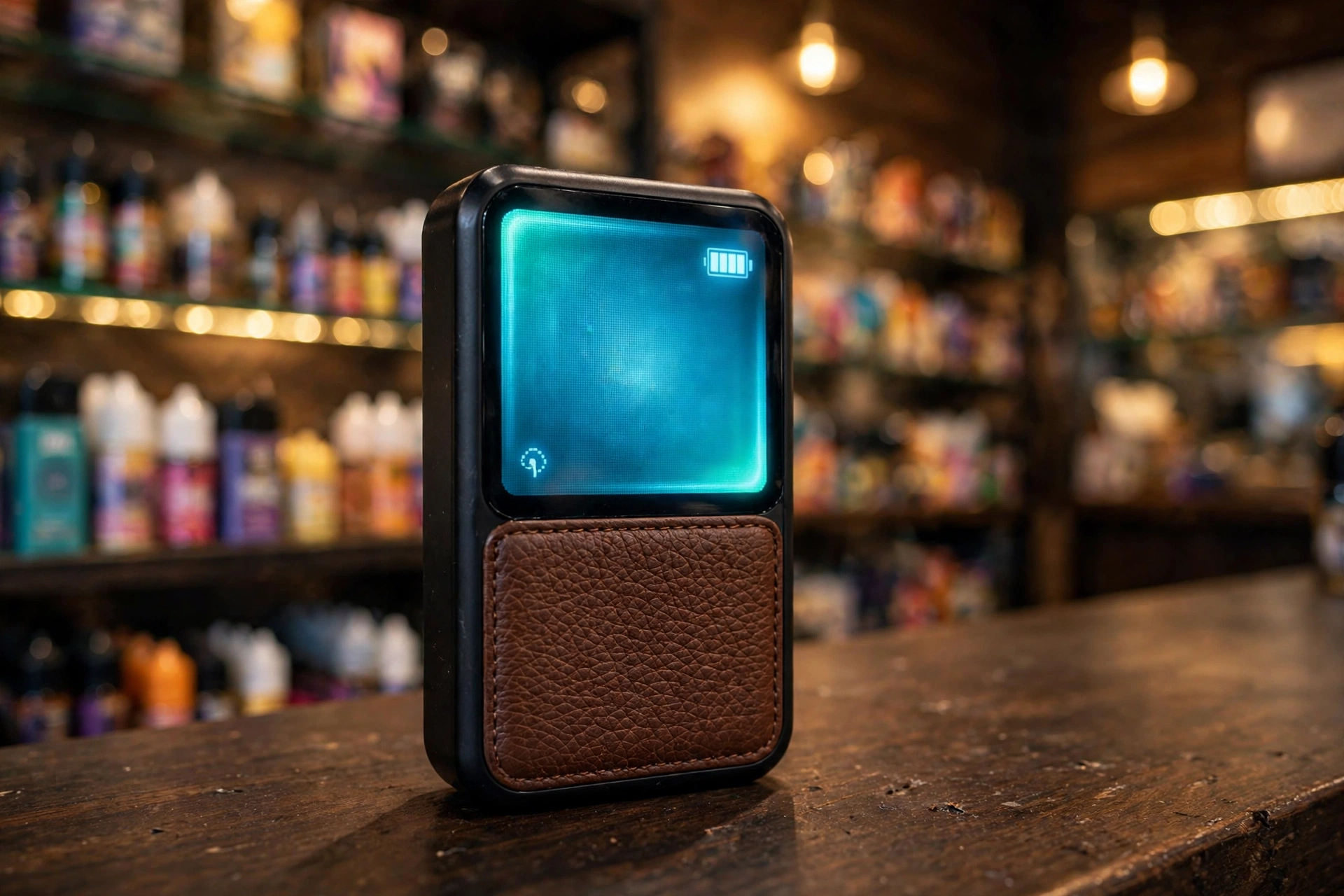
The Raz DC25000, also sold as the Raz LTX 25K, is one of the most popular high-capacity disposables in the United States. It pairs a 1.77-inch Mega HD smart screen with two power modes, a dual mesh coil, and a leather-textured grip, all built to deliver up to 25,000 puffs from a single 16 ml tank. The screen shows battery level, e-liquid level, active mode, and wattage at a glance, which makes diagnosing problems easier than on most disposables.
Still, no device is perfect. Maybe your Raz DC25000 is not hitting, it refuses to charge, the screen froze, it blinks red or blue and you do not know why, or the mode button does nothing when you press it. Most of these problems come down to a dead battery, a seal or plug left in place, the airflow switch sitting in the wrong position, or a tank that has finally run dry. All of them are easy to check at home.
In this guide, we cover every common Raz DC25000 problem. Click any problem to jump straight to its fixes:
- Device not hitting or producing no vapor
- Device not charging
- Blinking light codes and what each one means
- Screen not working or frozen
- Burnt or harsh taste
- Weak flavor or low vapor production
- Leaking, gurgling, or spitback
- Auto firing or device overheating
- Tight or hard draw
- Mode button or Boost Mode not working
For each problem, you will find a clear explanation of why it happens and step-by-step fixes to get your Raz DC25000 working again. By the end, you will know how to read the screen, how to tell when the tank is finished, and when the device itself needs replacing.
Raz DC25000 at a Glance
Every fix in this guide is based on the Raz DC25000’s verified features, so here is what you are working with:
- Puff rating: up to 25,000 puffs in Regular Mode (12W), up to 15,000 puffs in Boost Mode (24W)
- E-liquid capacity: 16 ml of 5 percent (50 mg) nicotine salt e-liquid, sealed and NOT refillable
- Battery: 800 mAh rechargeable via USB-C (charging cable not included in the box)
- Display: 1.77-inch Mega HD smart screen showing battery level, e-liquid level, active mode, and wattage, with Light and Dark display modes
- Modes: Regular Mode for smooth, efficient vaping and Boost Mode for stronger flavor and denser vapor
- Coils: dual mesh coil system
- Controls: draw-activated firing, one-click side button (short press toggles Regular and Boost Mode, press and hold adjusts screen brightness), and a separate adjustable airflow switch
- Extras: genuine leather grip, lanyard attachment, vape animations on the screen
- Also sold as: Raz LTX 25K, which is the same hardware under a different name
Because the Raz DC25000 is a sealed disposable, there are no replaceable pods. When the tank or the battery truly fails, the whole device is replaced. But most reported problems are fixable, so work through the steps below before giving up on it.
1. Raz DC25000 Not Hitting (No Vapor on Inhale)
The most reported issue is a Raz DC25000 not hitting: you draw and get nothing. On a draw-activated disposable like this one, the cause is almost always a blocked air path, a dead battery, or a seal that was never removed.
Common Causes
- Mouthpiece plug still inserted. New devices ship with a small silicone plug in the mouthpiece. If it is still in place, no air can flow and the draw sensor never triggers.
- Dead or very low battery. A drained 800 mAh battery cannot power the coils. The screen may stay dark or flash briefly even when the battery is too low to produce vapor.
- Blocked airflow. Dust, pocket lint, or e-liquid residue in the airflow inlets or mouthpiece can choke the draw sensor. The airflow switch may also be closed too far.
- Empty e-liquid tank. If the device worked fine for days or weeks and gradually stopped hitting, the 16 ml tank is probably empty.
- Stuck draw sensor. The auto-draw sensor that detects your inhale can occasionally stick, especially after the device has been sitting unused.
Step-by-Step Fixes
1. Remove the mouthpiece plug
Look inside the mouthpiece for a clear or colored silicone stopper and pull it out. This is the most common reason a brand new Raz DC25000 does not hit.
2. Charge the battery
Connect a USB-C cable to a standard 5V wall adapter or computer USB port and charge for at least 10 minutes. The screen shows the battery bar climbing. Remember the kit does not include a cable, so use your own.
3. Check the airflow switch
The Raz DC25000 has an adjustable airflow switch. If it is closed down too far, the draw sensor may not trigger. Slide it toward the more open position and take a test draw.
4. Clear the mouthpiece and inlets
Wipe the mouthpiece and check the air inlets for lint or residue. Blow gently through the mouthpiece to clear the air path.
5. Take a slow, steady draw
Sharp, hard pulls can confuse the sensor. Take a slow draw lasting 2 to 3 seconds. If the LED glows white during the draw, the device is firing.
6. Check the e-liquid level on the screen
Read the e-liquid bar on the Mega HD screen. If it shows empty and the device will not fire, the tank is done.
When to Replace
If the device is fully charged, the plug is out, the airflow is open, and the screen shows e-liquid remaining, yet it still will not hit, the draw sensor or chipset has likely failed. Time for a new device.
2. Raz DC25000 Not Charging
When your Raz DC25000 is not charging, the battery bar does not move or no charging indicator appears. Since the battery must last through up to 25,000 puffs, a charging problem needs quick attention.
Common Causes
- No cable in the box. The Raz DC25000 kit does not include a USB-C cable, so first make sure you are actually using a working cable.
- Dirty charging port. Pocket lint and e-liquid residue collect in the USB-C port and block the connection.
- Weak power source. Some laptop USB ports, car chargers, and old adapters do not supply consistent 5V power.
- Overheated device. For safety, the device may refuse to charge while it is hot.
- Damaged cable. Frayed or cheap cables often fail to deliver a stable charge.
Step-by-Step Fixes
1. Use a known good USB-C cable
Test your cable with another device first. Then connect the Raz DC25000 to a standard 5V/1A wall adapter or a computer USB port rather than a high-wattage fast charger.
2. Clean the USB-C port
Inspect the port for lint or residue and gently clear it with a dry toothpick or cotton swab. Never use liquids or metal tools.
3. Try a different power source
If a wall plug does not work, try a laptop or power bank USB port, and vice versa. A different source rules out a faulty adapter.
4. Let a hot device cool down
If the device feels warm, unplug it and let it rest for 15 minutes before trying again.
5. Watch the screen for the charge bar
A successful charge shows the battery bar climbing on the Mega HD display, and the LED blinks blue while charging. The Raz DC25000 supports pass-through, so you can take a draw while it charges to confirm it is alive.
When to Replace
If multiple cables and power sources all fail and the port is clean, the charging circuit or battery has likely failed. A full charge takes about 60 minutes, so give it that long on a known good setup before concluding the device is dead.
3. Raz DC25000 Blinking (LED Light Codes Explained)
When your Raz DC25000 is blinking, the LED is flagging a specific condition. Here is what each pattern means on this device:
- Solid white during a draw: normal operation. The device is firing correctly.
- Blinking red: battery below about 15 percent. Charge the device soon.
- Blinking blue: the device is currently charging.
- Solid red while not drawing: the device has reached end of life or the e-liquid is empty.
Step-by-Step Fixes
1. Blinking red: charge it
Connect a USB-C cable and charge for about 60 minutes. The blinking should stop as the battery recovers.
2. Blinking blue: leave it plugged in
This is not an error. The LED blinks blue to show charging is in progress. Unplug when the screen shows a full battery bar.
3. Solid red with no vapor: check the e-liquid level
Read the e-liquid bar on the screen. If it shows empty, the tank is finished and no fix will bring it back.
4. Blinking red right after a full charge: rule out a fault
If the battery reads full on the screen but the LED still blinks red during draws, the battery or chipset may be failing. Try a different cable and power source once more to be sure.
When to Replace
A solid red LED with an empty e-liquid bar means the device is finished. A blinking red LED that never clears after charging points to a dead battery, which also means replacement.
4. Raz DC25000 Screen Not Working or Frozen
The 1.77-inch Mega HD screen is the Raz DC25000’s signature feature, showing battery level, e-liquid level, mode, and wattage. When the Raz DC25000 screen goes dark, freezes, or does not update, use these steps.
Common Causes
- Dead battery. A fully drained device cannot power the display.
- Screen brightness set too low. The display has Light and Dark modes, and brightness can be turned down by holding the side button. A dimmed screen in bright sunlight can look dead.
- Temporary chipset glitch. Like any small display, it can occasionally freeze and stop responding.
- Damaged screen. A hard drop can crack or kill the display even if the device still fires.
Step-by-Step Fixes
1. Charge the device
Plug in for at least 15 minutes. The screen should wake as the battery recovers.
2. Try adjusting the brightness
Press and hold the side button for one second to cycle the screen brightness. If the display suddenly appears, it was simply dimmed.
3. Tap the screen
A quick tap on the screen can wake it from its dimmed state during use.
4. Let it rest to reset
Unplug the device, do not draw on it, and leave it alone for 10 minutes. This lets the chipset settle and clears most temporary freezes.
5. Take a test draw
If the device fires and produces vapor but the screen stays dark, the display itself is damaged while the vaping hardware still works.
When to Replace
A screen that never wakes after charging and resting has a dead display. The device may still be usable by feel, but without the e-liquid and battery readouts you are vaping blind, so most users will want a replacement.
5. Raz DC25000 Burnt or Harsh Taste
A burnt taste from the Raz DC25000 means the dual mesh coil is scorching instead of vaporizing liquid. This is the clearest sign the tank is running dry.
Common Causes
- Empty tank. The 16 ml is finished and the wick is dry.
- Worn coil. After tens of thousands of puffs, the dual mesh coils degrade.
- Heavy Boost Mode use. Boost Mode fires at 24W and dries the wick faster than Regular Mode.
- Chain vaping. Rapid puffing does not give the wick time to re-soak.
Step-by-Step Fixes
1. Check the e-liquid bar on the screen
Read the e-liquid level on the Mega HD display. If it shows empty, the burnt taste is the tank’s farewell.
2. Slow down and rest the device
Wait 15 to 20 seconds between puffs so the wick can re-saturate. Put the device down for 10 minutes if the taste just started.
3. Switch to Regular Mode
Short-press the side button to switch from Boost to Regular Mode (12W). The gentler power is kinder to a drying wick.
4. Confirm it is not temporary
Take one slow draw after the rest. If the burnt taste is gone, the wick recovered. If it is still there, the coil is permanently scorched.
When to Replace
Burnt taste that survives resting and a switch to Regular Mode means the coil is done. Because the Raz DC25000 is a sealed disposable, the whole device is replaced at this point.
6. Raz DC25000 Weak Flavor or Low Vapor Production
When your Raz DC25000 has weak flavor or thin vapor, the device works but the experience feels flat.
Common Causes
- Aging coil. Coils lose efficiency long before the e-liquid runs out.
- Low e-liquid. A nearly empty tank cannot keep the wick saturated.
- Low battery. Reduced power means reduced vapor.
- Regular Mode expectations. Regular Mode at 12W is deliberately softer than Boost Mode at 24W.
- Airflow set too open or too closed. The airflow switch changes how much air mixes with the vapor, which changes perceived flavor intensity.
Step-by-Step Fixes
1. Try Boost Mode
Short-press the side button to switch to Boost Mode and take a slow draw. If flavor returns, the hardware is fine and you simply prefer the stronger setting. Note that Boost burns e-liquid faster, so the device will not reach 25,000 puffs this way.
2. Check battery and e-liquid levels
Read both bars on the screen. Charge the device and consider how long you have been using it.
3. Adjust the airflow switch
Slide the airflow switch to different positions and test each one. A slightly tighter airflow usually gives warmer, more concentrated flavor.
4. Pace your puffs and clear the mouthpiece
Slow down, wipe the mouthpiece, and make sure the air inlets are clear.
When to Replace
Flavor that never recovers after charging, mode switching, and airflow adjustment means the coil is worn out. If the e-liquid bar still shows plenty remaining, the device failed early and is worth replacing under the retailer’s policy.
7. Raz DC25000 Leaking, Gurgling, or Spitback
Leaking or gurgling in the Raz DC25000 usually means liquid has collected where only air should be, often in the mouthpiece or airflow chamber.
Common Causes
- Drawing too hard. Sharp pulls flood the coil chamber, causing gurgling and spitback.
- Condensation in the mouthpiece. Normal vapor condenses inside the mouthpiece over time.
- Heat exposure. A hot car or direct sun thins e-liquid and encourages leaks.
- Storing upside down. Gravity pulls liquid toward the mouthpiece.
Step-by-Step Fixes
1. Soften your draw
Use slow, gentle draws of 2 to 3 seconds. This is the number one fix for gurgling.
2. Clear the mouthpiece
Roll a thin corner of tissue small enough to fit into the mouthpiece, slide it in, and wiggle gently to absorb trapped liquid. Then blow softly through the mouthpiece into a tissue.
3. Check the airflow switch area
Wipe around the airflow switch and the base of the device. If liquid seeped there, dry it thoroughly.
4. Store upright and cool
Keep the Raz DC25000 standing upright at room temperature, away from heat. The lanyard attachment makes it easy to hang rather than toss in a bag.
When to Replace
Light condensation is normal on any disposable. Constant leaking from the seams or heavy spitback that never clears means the internal seals failed. Replace the device, and wash your hands after handling leaked e-liquid since it contains nicotine.
8. Raz DC25000 Auto Firing or Device Overheating (Safety)
Auto firing, when the Raz DC25000 produces vapor without a draw, or a device that feels hot, needs immediate attention.
Common Causes
- Liquid in the sensor area. Leaked e-liquid reaching the draw sensor can hold it triggered.
- Shorted coil. A damaged coil can cause erratic firing and heat.
- Chain vaping in Boost Mode. Extended 24W sessions build real heat in a small device.
Step-by-Step Fixes
1. Stop drawing and set it down immediately
Place the device on a non-flammable surface, away from anything that can burn.
2. Let it cool completely
Do not use a hot device. Wait until it returns to room temperature before touching it further.
3. Check for leaking
Once cool, inspect the mouthpiece and base for leaked liquid and wipe everything dry.
4. Test with a single gentle draw
If it fires normally once and then behaves, the sensor likely cleared. If it auto fires again, stop using it.
Safety Note
If auto firing or heating returns, stop using the device entirely. Store it somewhere safe away from flammable materials and replace it. Never try to open a sealed disposable to repair it.
9. Raz DC25000 Tight or Hard Draw
A tight draw on the Raz DC25000 makes each puff feel restricted, like sipping through a blocked straw.
Common Causes
- Mouthpiece plug still inserted. The clear silicone plug is easy to miss on a new device.
- Airflow switch closed down. The adjustable airflow switch may be set to its tightest position.
- Blocked air inlets. Dust or pocket lint in the airflow paths.
- Condensation buildup. Liquid narrowed the air channel.
Step-by-Step Fixes
1. Check for the plug
Look inside the mouthpiece for the clear silicone stopper and pull it out.
2. Open the airflow switch
Slide the airflow switch toward the more open position. Test the draw after each small adjustment until it feels right.
3. Clear the air path
Wipe the mouthpiece, clear the air inlets with a dry swab, and blow gently through the mouthpiece.
4. Dry any condensation
Use a rolled tissue corner in the mouthpiece to absorb trapped liquid that may be narrowing the channel.
When to Replace
A draw that stays tight after opening the airflow, clearing the path, and removing the plug suggests a blocked or damaged internal airway. If the device is new, exchange it with the retailer.
10. Raz DC25000 Mode Button or Boost Mode Not Working
The Raz DC25000’s side button controls the two power modes and the screen brightness. When pressing the button does nothing, or Boost Mode will not engage, work through these checks.
Common Causes
- Pressing it the wrong way. A short press toggles between Regular and Boost Mode. Pressing and holding for one second changes screen brightness instead. Mixing the two up is the most common reason the button seems dead.
- Low battery. Some functions become unresponsive when the battery is nearly empty.
- Frozen screen or chipset. If the screen is frozen, the button input may not register.
- Damaged button. Drops or pocket pressure can break the small side button.
Step-by-Step Fixes
1. Short-press to switch modes
Give the side button next to the screen one quick press. The screen should update to show N for Normal or B for Boost, along with the new wattage (12W or 24W). If a single press does nothing, try pressing twice quickly, as some batches respond to a double press.
2. Press and hold for brightness
Hold the button for one second. If the screen brightness changes, the button works and the issue is only with mode switching.
3. Charge the device
Low battery can make the button unresponsive. Charge for 15 minutes and try again.
4. Rest the device
Leave it unplugged and untouched for 10 minutes to clear any chipset freeze, then test the button again.
When to Replace
A button that never responds after charging and resting, while the screen is otherwise alive, has a broken switch. The device will still vape in whichever mode it is stuck in, but you lose mode control, so replacement is the practical answer.
How to Know When Your Raz DC25000 Is Finished
The Mega HD screen makes this easy:
- The screen shows an empty e-liquid bar. The e-liquid readout is your most reliable guide.
- Solid red LED with no vapor. The device signals end of life when the tank is done.
- Persistent burnt taste. A harsh, dry flavor that does not improve means the wick is dry for good.
- Flavor fades and never recovers. Charging and switching modes no longer help.
- Vapor drops to almost nothing. Even in Boost Mode with a full battery, barely any vapor appears.
When the tank is done, the whole device is done. Recycle it through an e-waste or battery recycling program rather than throwing it in the trash, since it contains a lithium battery.
How to Make Your Raz DC25000 Last Longer
- Use Regular Mode daily. Save Boost Mode for when you want extra intensity. Boost burns e-liquid about 25 to 30 percent faster.
- Charge smart. Use a standard USB-C cable and a 5V wall adapter, and unplug when the screen shows a full battery bar. A full charge takes about 60 minutes.
- Pace your puffs. Give the wick 15 to 20 seconds between draws, and take slow 2 to 3 second draws instead of sharp pulls.
- Store upright and cool. Mouthpiece up, room temperature, away from sun and heat.
- Keep the mouthpiece clean. A quick wipe every few days prevents condensation buildup and keeps the draw smooth.
- Adjust airflow to your liking. A slightly tighter airflow can make flavor feel stronger without switching to Boost Mode.
- Buy authentic. Counterfeit Raz devices are widespread and fail far more often. Genuine devices carry a 12-digit authentication code on the packaging that can be verified through the official Raz website, and you should always buy from licensed retailers.
Frequently Asked Questions
How long does it take to charge a Raz DC25000?
About 60 minutes from empty to full on a standard USB-C 5V/1A wall adapter. The screen shows the battery bar climbing while it charges. The Raz DC25000 supports pass-through, so you can take a draw while it is plugged in. Note that the kit does not include a cable, so use your own USB-C cable.
How do I know when my Raz DC25000 is empty?
Read the e-liquid bar on the Mega HD screen. When it shows empty, the 16 ml tank is done. Other signs include a solid red LED with no vapor, a persistent burnt taste, and vapor dropping to almost nothing even in Boost Mode with a full battery.
What do the blinking lights on my Raz DC25000 mean?
Solid white during a draw means normal operation. Blinking red means the battery is below about 15 percent, so charge it. Blinking blue means the device is currently charging. A solid red LED while not drawing means the device has reached end of life or the e-liquid is empty.
Why is my Raz DC25000 screen frozen or not turning on?
Charge the device for at least 15 minutes first, since a dead battery cannot power the display. Then try pressing and holding the side button for one second to adjust brightness, in case the screen was simply dimmed. If it is still frozen, unplug it and leave it untouched for 10 minutes to let the chipset reset. A screen that never wakes after this has a damaged display.
What is the difference between Boost Mode and Regular Mode on the Raz DC25000?
Regular Mode fires at 12W for smooth, efficient vaping and delivers the full 25,000-puff rating. Boost Mode fires at 24W for denser vapor and stronger flavor, but it burns e-liquid about 25 to 30 percent faster, so expect around 15,000 puffs. Short-press the side button to toggle between them, and the screen shows the active mode and wattage.
Is the Raz DC25000 refillable?
No. The Raz DC25000 is a sealed disposable with a pre-filled 16 ml tank. It cannot be refilled. Only the 800 mAh battery is rechargeable via USB-C. When the e-liquid runs out, the whole device is replaced.
How can I tell if my Raz DC25000 is fake?
Genuine Raz DC25000 devices carry a 12-digit authentication code on the packaging that can be verified through the official Raz website. Buy only from licensed retailers. Warning signs after purchase include unusually weak flavor, a screen that misbehaves from day one, misspelled packaging, and a device that dies far earlier than expected.
The Bottom Line
Almost every Raz DC25000 problem traces back to one of a few things: a dead battery, a mouthpiece plug that was never removed, the airflow switch sitting in the wrong position, or a 16 ml tank that has finally run dry. The Mega HD screen makes diagnosis easier than on most disposables, since it shows you battery and e-liquid levels directly. Work through this guide step by step and most Raz DC25000 devices come back to life quickly.
Regulations are also reshaping which high-capacity devices can be sold state by state, so it is worth reading our coverage of the state directory laws affecting vape sales. For more troubleshooting guides and vape news, visit your trusted vape shop.